Tour · Nova on every screen

A tour of Nova

Nova Desktop page by page, then Nova on the tablet, in his pocket, in a Google Meet and by voice. Every picture is Nova Desktop's demo mode, with made-up data.

Desktop

Nova Desktop, page by page.

10 of its pages, each on a laptop and on a tablet held upright or sideways. Pick the screen above a picture, and tap the picture to see it larger.

Show Home on
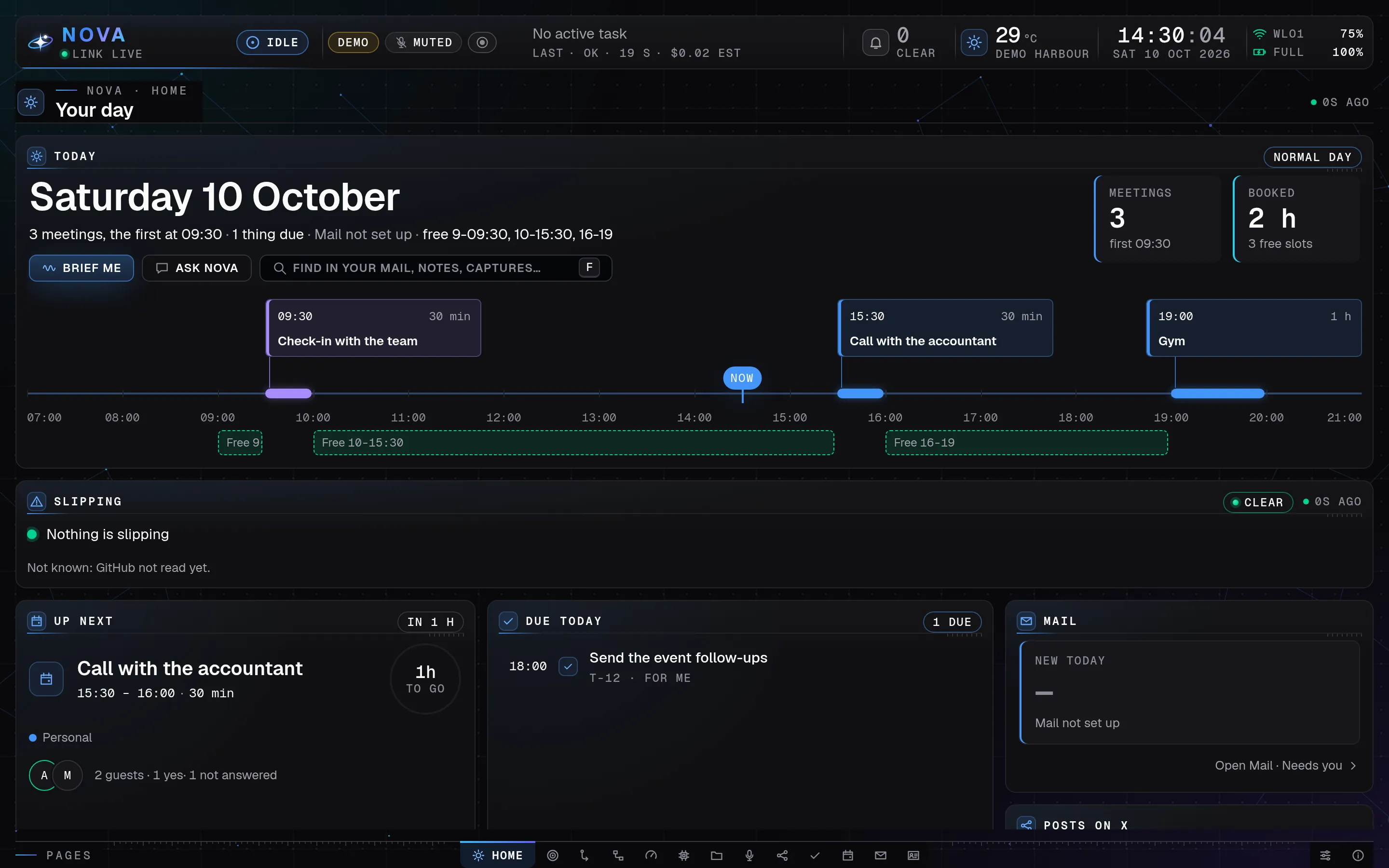
Nova Desktop's Home page on a laptop: today's three meetings on a timeline with the free time between them, then Nothing is slipping, the next meeting with its countdown, what is due today and the mail card, all made-up demo data.
Home, the page Nova Desktop opens on: your day at a glance. Demo mode, made-up data ·
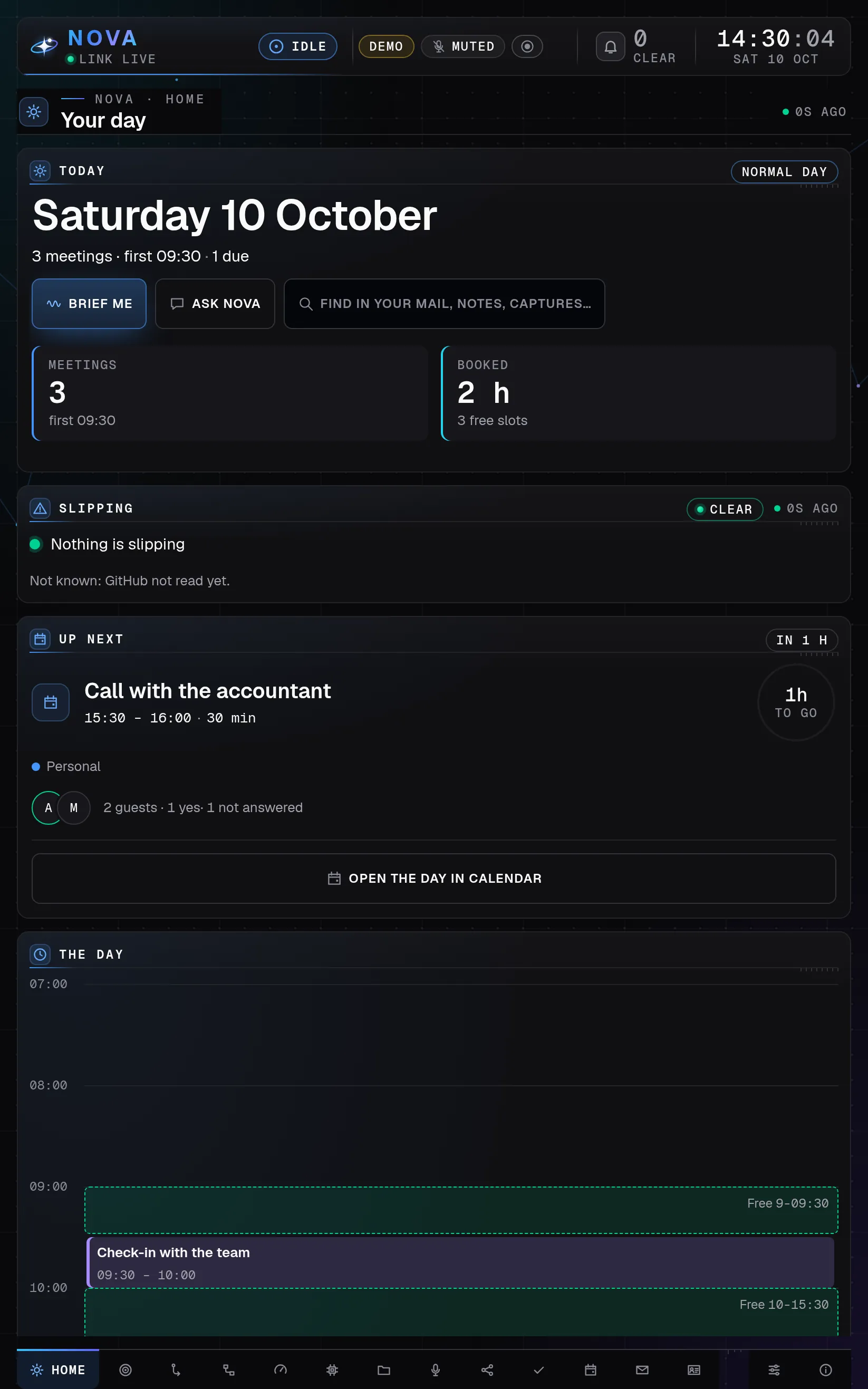
The same Home page on a tablet held upright: the day's summary with large Brief me and Ask Nova buttons, Nothing is slipping, the next meeting as a touch card and the day's hours below, all made-up demo data.
On the tablet, upright: the touch layout. Demo mode, made-up data ·
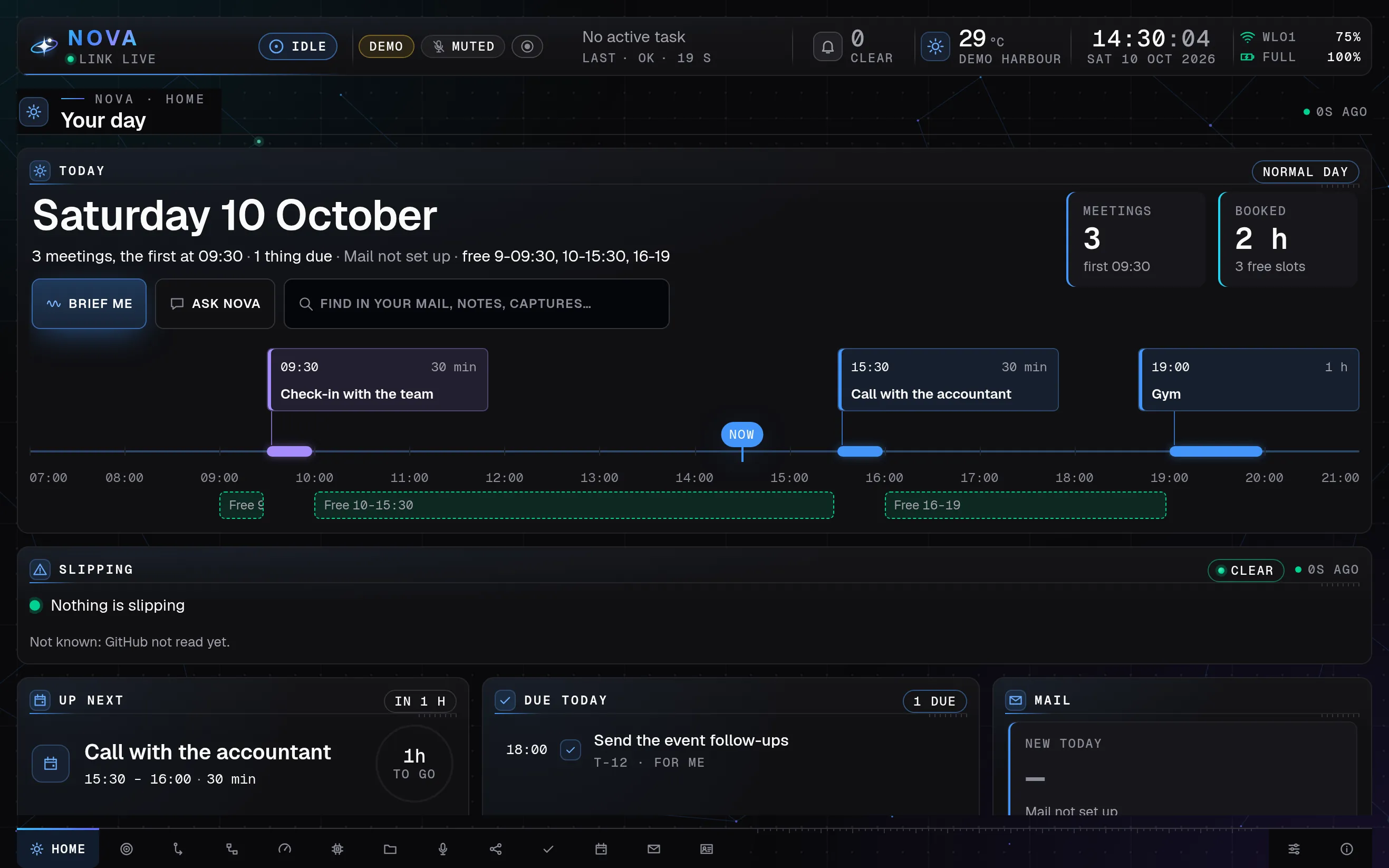
The same Home page on a tablet turned sideways: the day's timeline with its free time, Nothing is slipping, then the next meeting, what is due today and the mail card in the touch layout, all made-up demo data.
On the tablet, sideways. Demo mode, made-up data ·

Home

The day at a glance.

  • Every window opens on the day: meetings on a timeline, Up next with its countdown, and what is due.
  • Brief me says the day out loud in a few sentences; Ask Nova puts a question about it into the chat.
  • Slipping lists what is starting to slip, with a one-tap fix for most rows.
Show Chat on
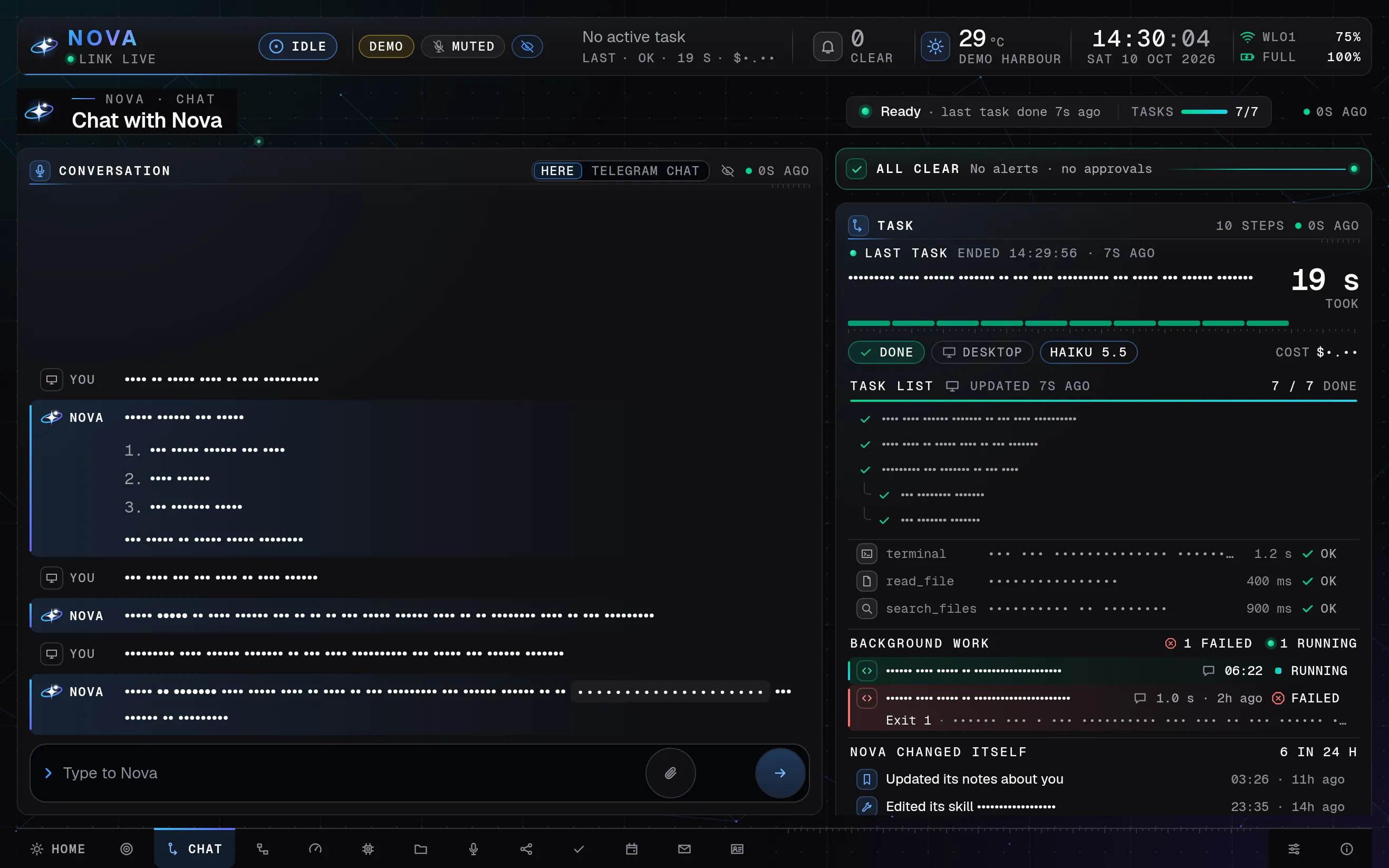
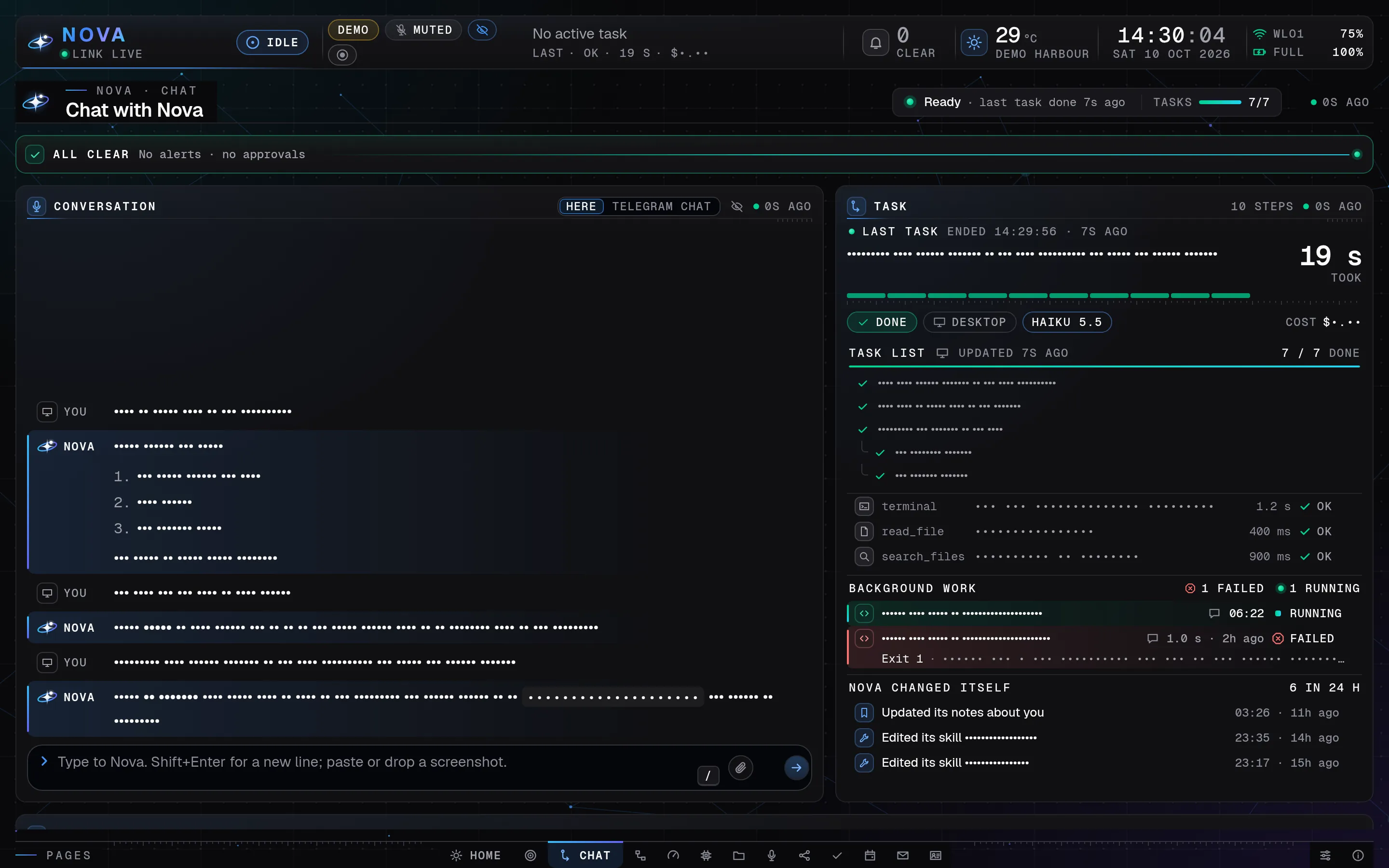
Nova Desktop's Chat page in presentation mode on a laptop: the conversation on the left; on the right the task panel with the last task's ticked task list, the tools it used, background work and the lines where Nova changed itself; private text shows as dots, all made-up demo data.
Chat, with the task panel: every step shows while Nova works. Demo mode, made-up data ·
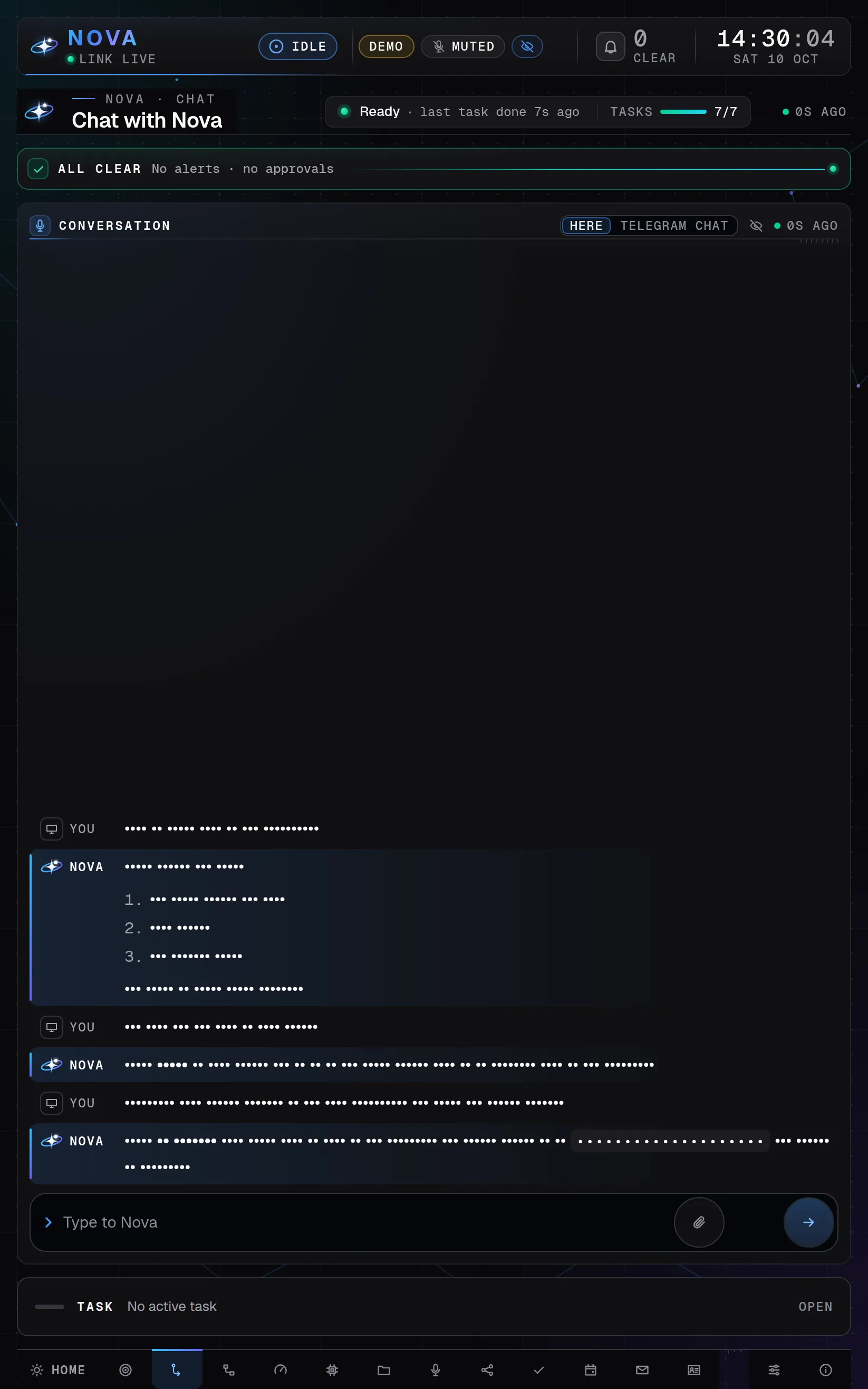
Nova Desktop's Chat page in presentation mode on a tablet held upright: the conversation fills the screen and the task panel folds into a bar below it; private text shows as dots, all made-up demo data.
Chat, with the task panel: every step shows while Nova works. Demo mode, made-up data ·
Nova Desktop's Chat page in presentation mode on a tablet turned sideways: the conversation on the left; on the right the task panel with the ticked task list, the tools it used, background work and the lines where Nova changed itself; private text shows as dots, all made-up demo data.
Chat, with the task panel: every step shows while Nova works. Demo mode, made-up data ·

Chat

Every step, while it works.

  • Aman types or speaks; Nova can use the terminal, files, the web, its own browser and his apps.
  • The task panel shows the task, the model, a ticking timer and one row per action, with a Stop button.
  • A job of more than two steps gets a live task list that ticks itself off.
Show Tasks on
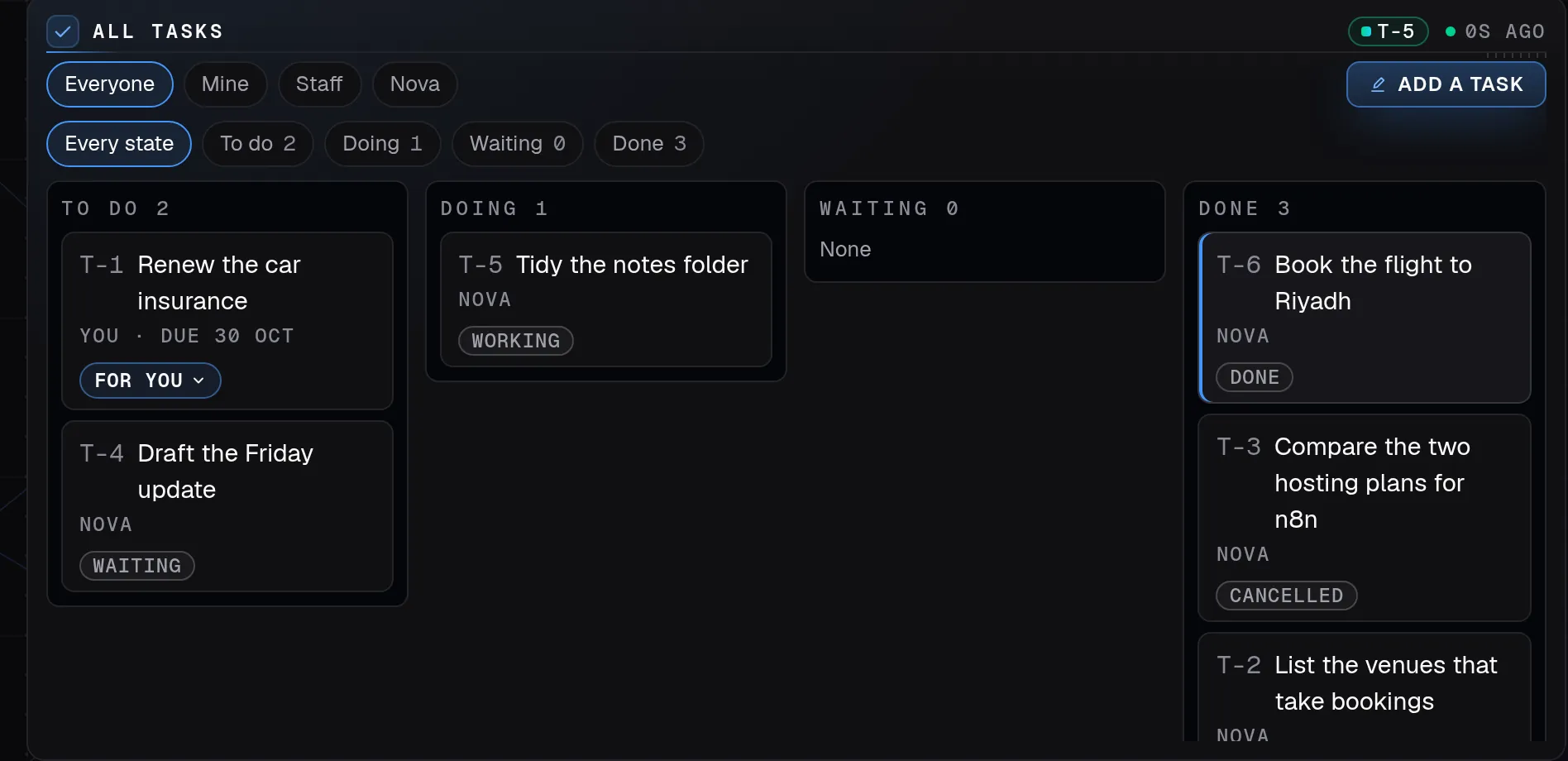
The board of Nova Desktop's Tasks page on a laptop: To do, Doing, Waiting and Done, each task marked for you or for Nova, all made-up demo data.
Tasks: one list for Aman, his people and Nova. Demo mode, made-up data ·
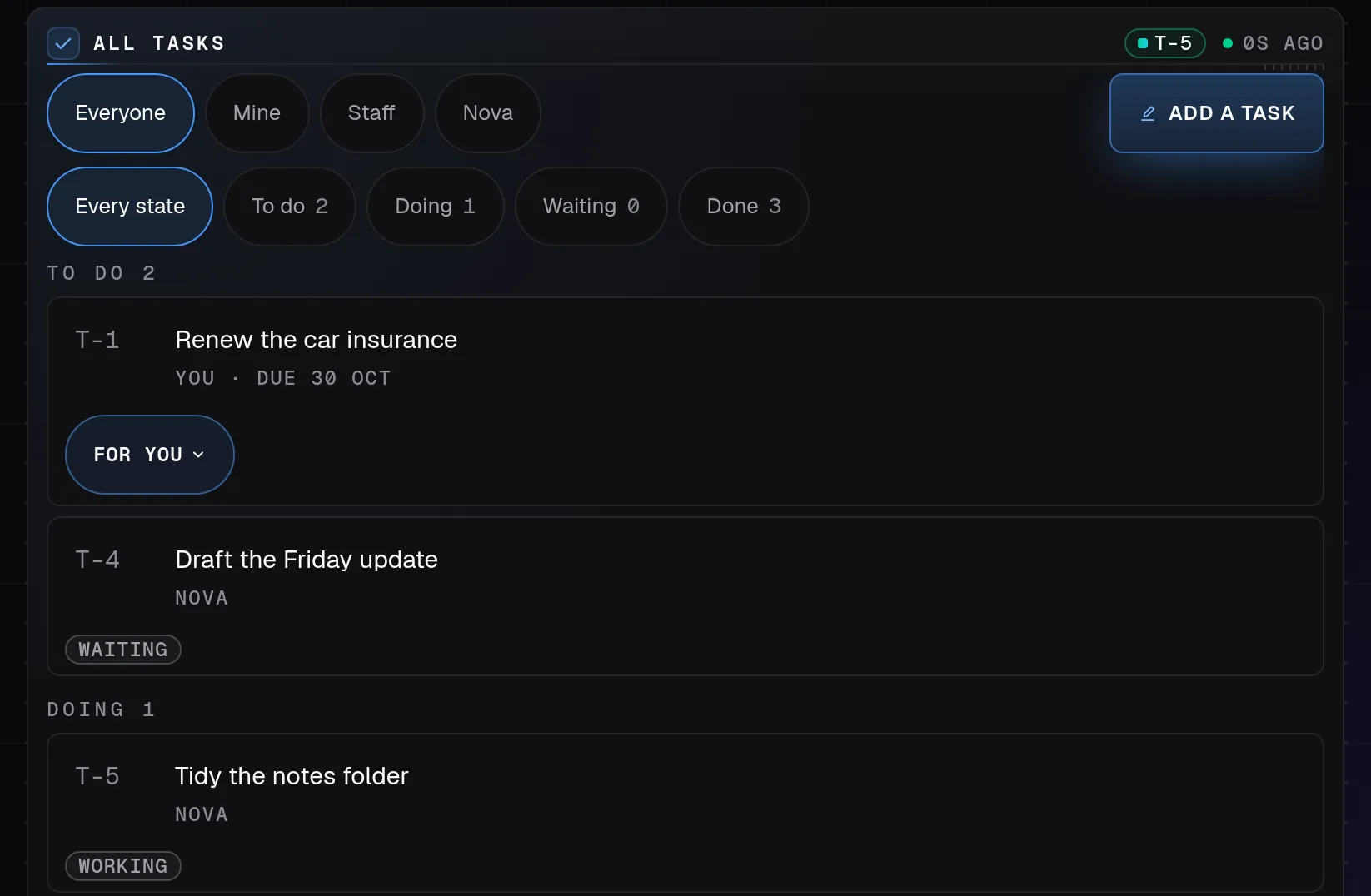
Nova Desktop's Tasks page on a tablet held upright: the touch filters by person and by state, then made-up tasks under To do and Doing, each with who it is for, all made-up demo data.
Tasks: one list for Aman, his people and Nova. Demo mode, made-up data ·
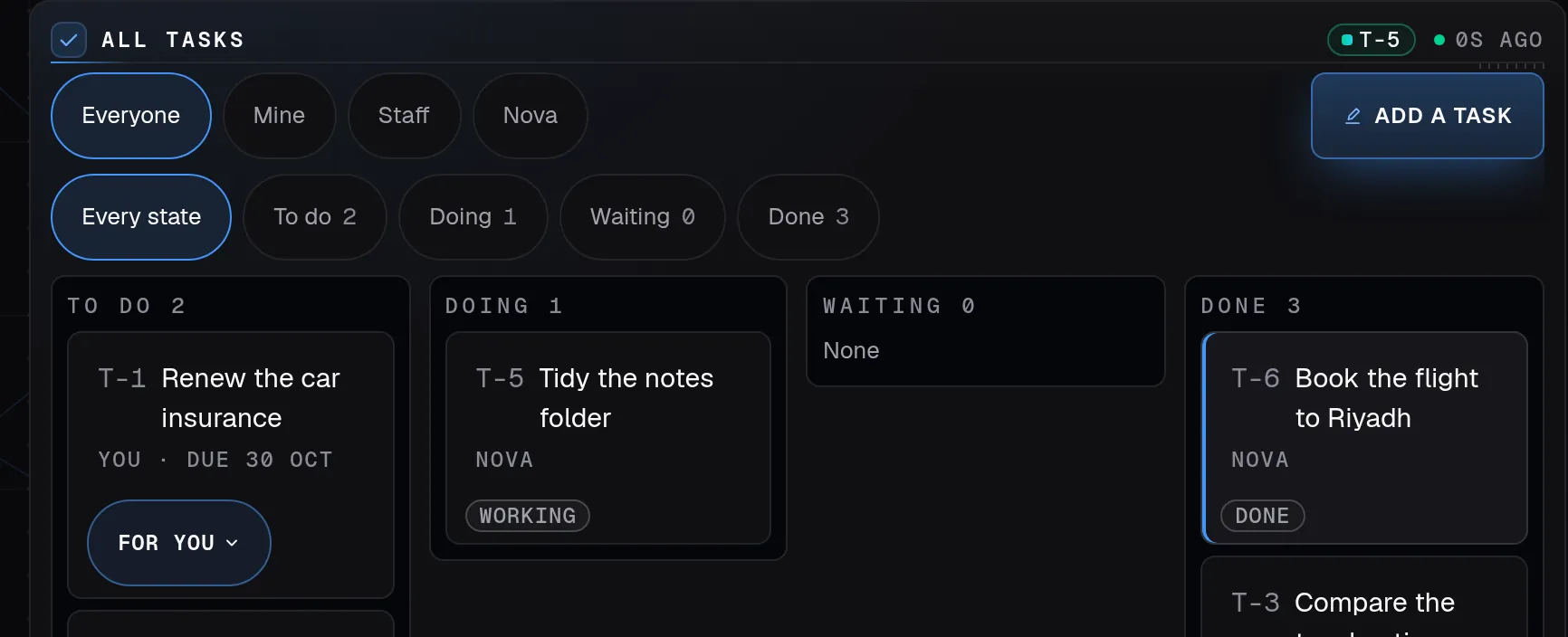
The board of Nova Desktop's Tasks page on a tablet turned sideways: large touch filters for who and what state, then To do, Doing, Waiting and Done, all made-up demo data.
Tasks: one list for Aman, his people and Nova. Demo mode, made-up data ·

Tasks

One list for everyone.

  • Every to-do has an owner (Aman, Nova or someone on his team), a project and a step.
  • Needs you gathers what waits on Aman: Nova’s questions, work waiting for his Start, what is due soon.
  • Action items from a meeting wait there as one group until he keeps them.
Show Mail on
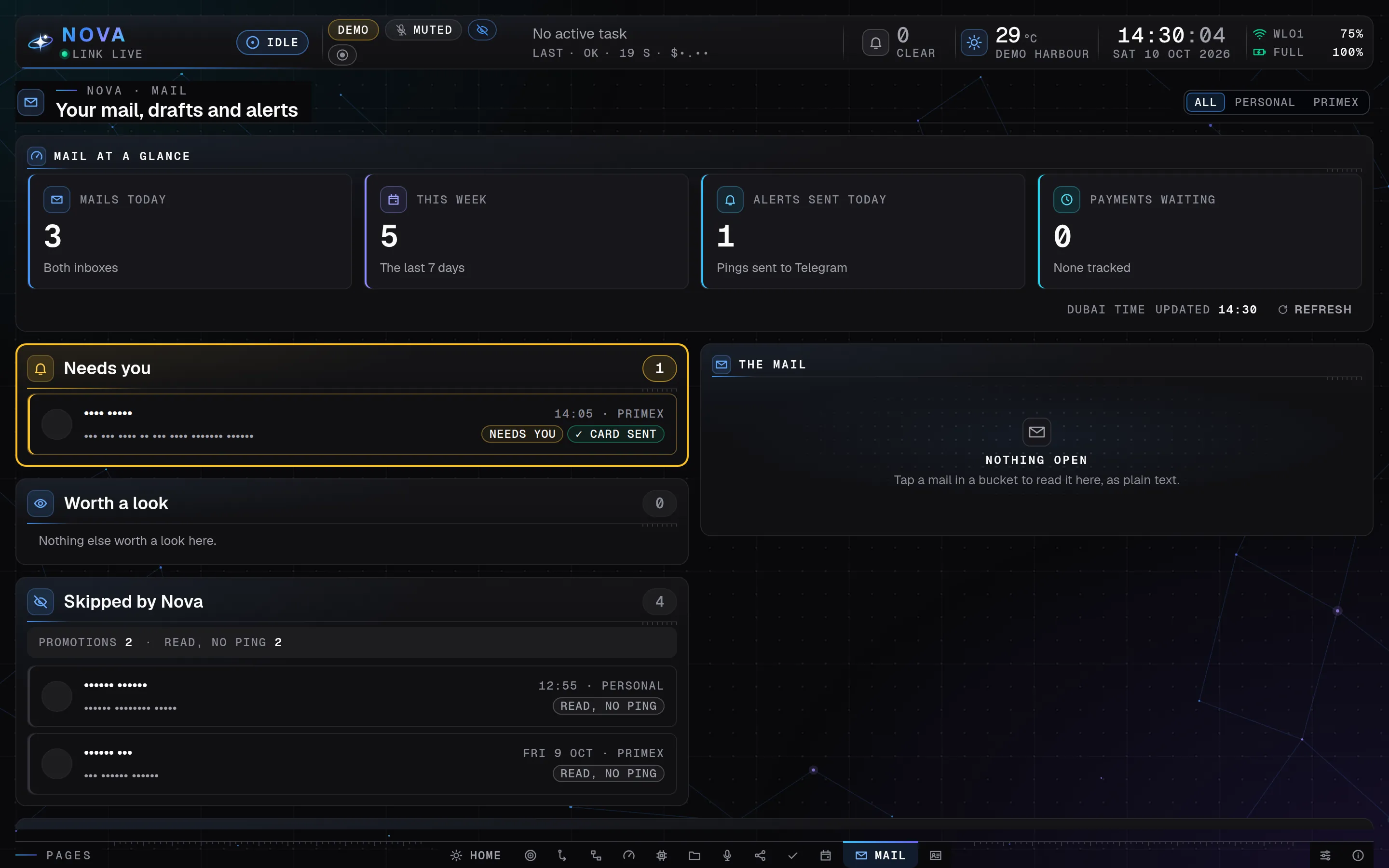
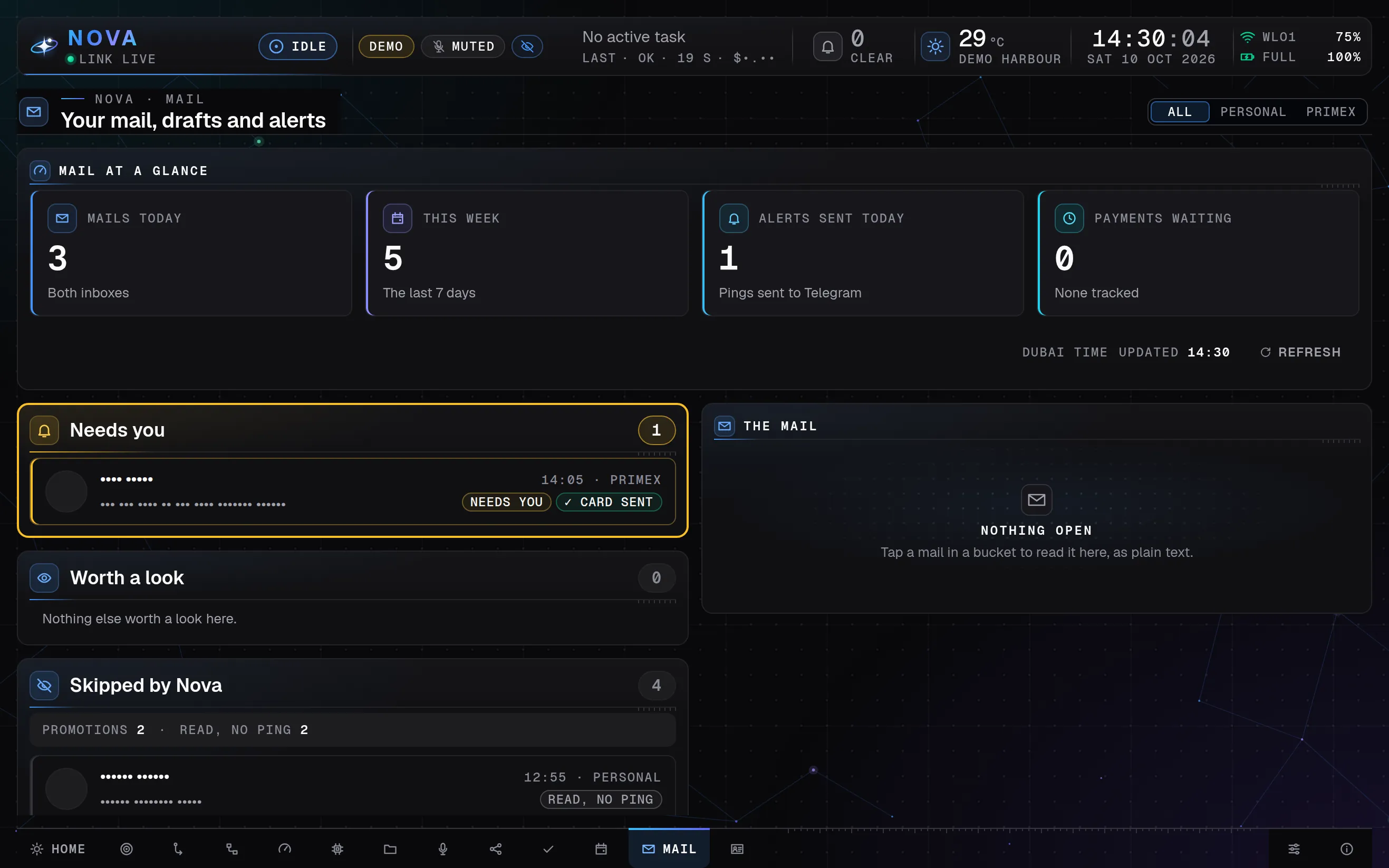
Nova Desktop's Mail page in presentation mode on a laptop: the mail at a glance in four tiles, then Needs you, Worth a look and Skipped by Nova, each mail a card with its label, and the reading pane beside them; senders and subjects show as dots, all made-up demo data.
Mail: what needs Aman first, what Nova skipped, and nothing ever sent. Demo mode, made-up data ·
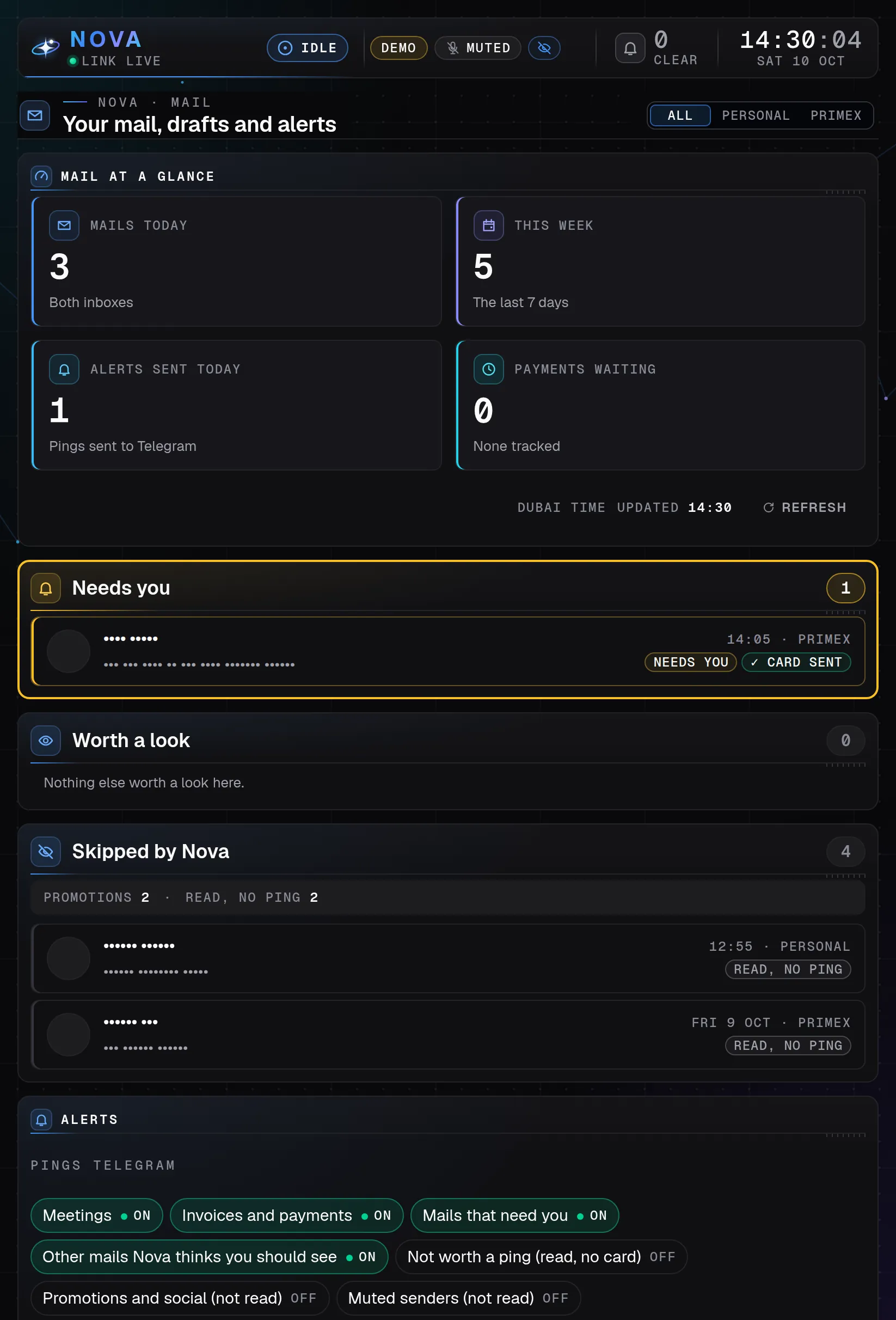
Nova Desktop's Mail page in presentation mode on a tablet held upright: the four tiles two by two, Needs you, Worth a look and Skipped by Nova, then the switches for which mail pings Telegram; senders and subjects show as dots, all made-up demo data.
Mail: what needs Aman first, what Nova skipped, and nothing ever sent. Demo mode, made-up data ·
Nova Desktop's Mail page in presentation mode on a tablet turned sideways: the mail at a glance in four tiles, then Needs you, Worth a look and Skipped by Nova beside the reading pane; senders and subjects show as dots, all made-up demo data.
Mail: what needs Aman first, what Nova skipped, and nothing ever sent. Demo mode, made-up data ·

Mail

What needs him, first.

  • Mail in cards from both inboxes: Needs you, Worth a look, and Skipped by Nova with the reason.
  • An open mail is laid out to read, with earlier messages and the signature folded away.
  • Draft a reply saves a Gmail draft. Nothing on the page sends a mail.
Show Calendar on
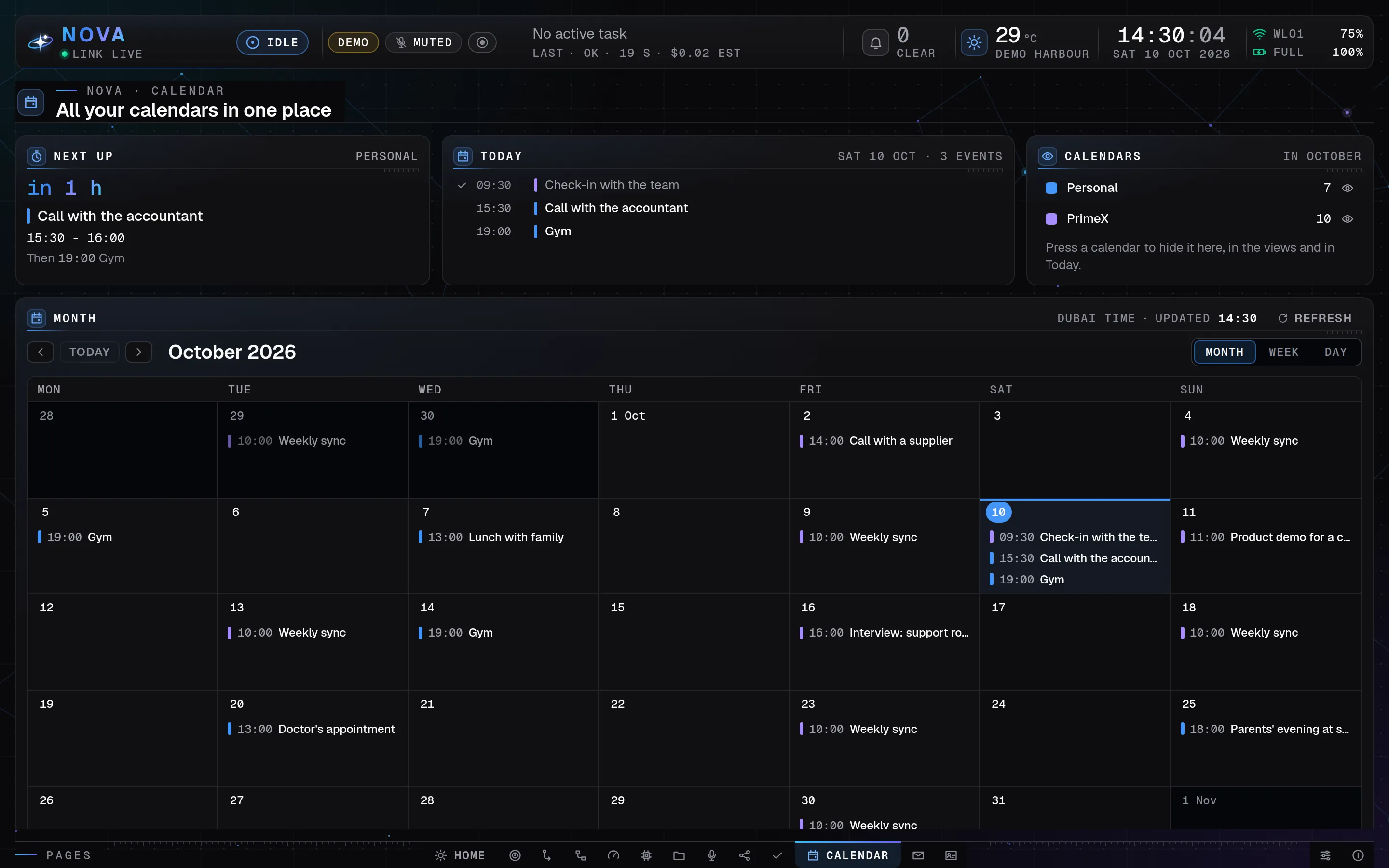
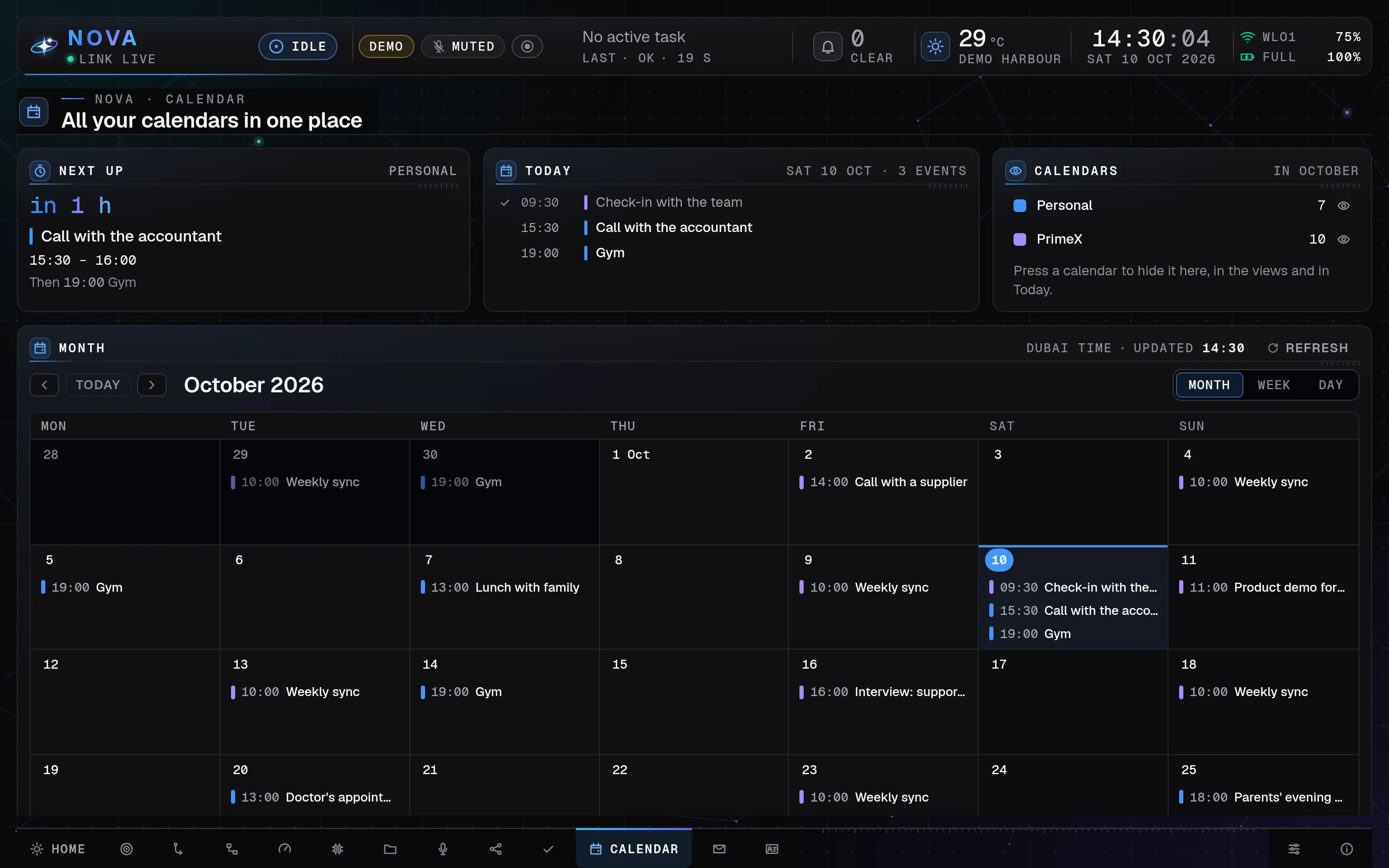
Nova Desktop's Calendar page on a laptop: the next meeting in an hour, today's three events, the two calendars with their counts, then October as a month grid with every event, all made-up demo data.
Calendar: all his calendars in one place. Demo mode, made-up data ·
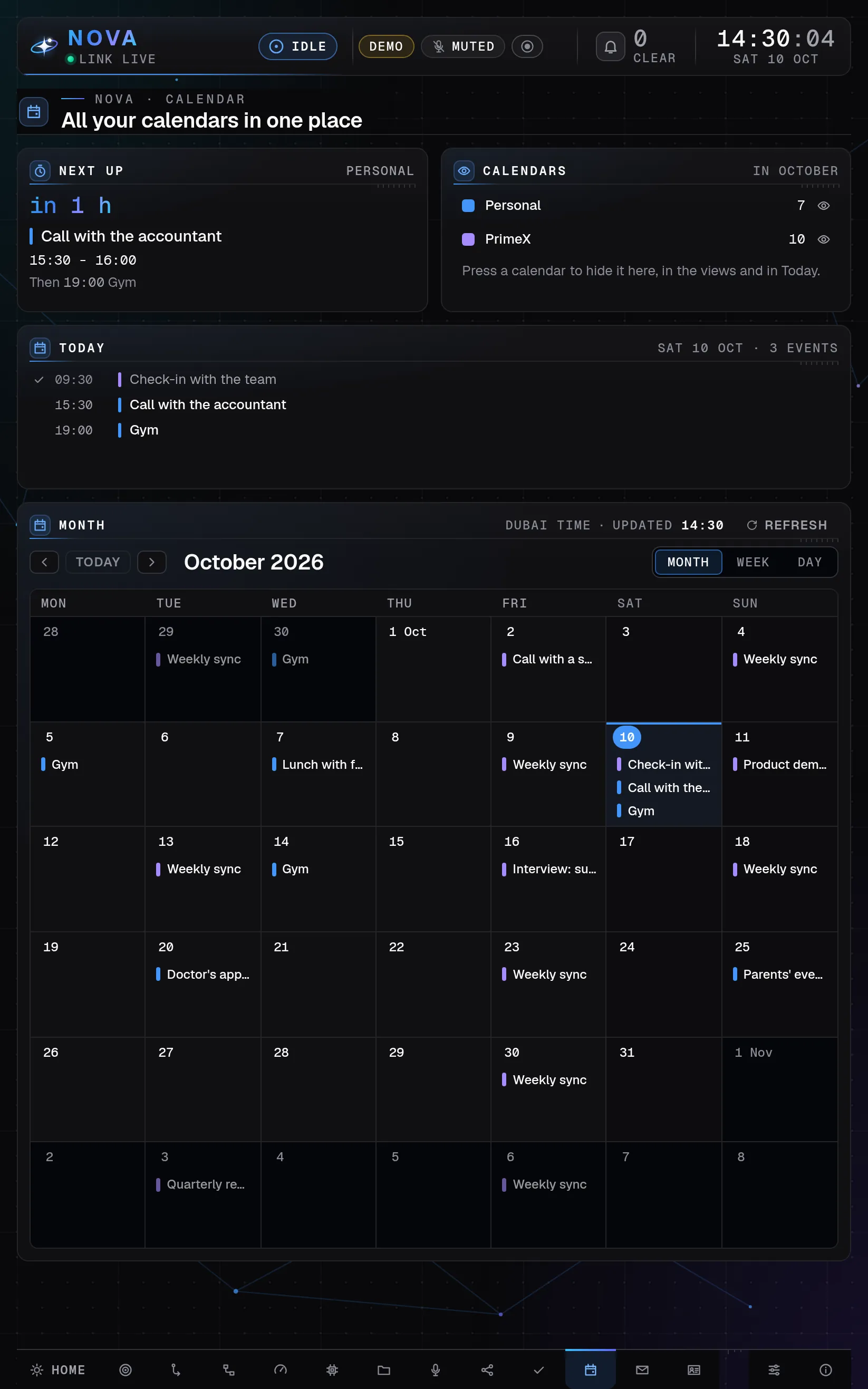
Nova Desktop's Calendar page on a tablet held upright: the next meeting and the calendars side by side, today's events, then October as a month grid, all made-up demo data.
Calendar: all his calendars in one place. Demo mode, made-up data ·
Nova Desktop's Calendar page on a tablet turned sideways: the next meeting, today's three events and the calendars in a row, then October as a month grid, all made-up demo data.
Calendar: all his calendars in one place. Demo mode, made-up data ·

Calendar

Every calendar in one place.

  • Month, Week and Day views, a colour per calendar and a Next up countdown.
  • A meeting or event mail with a clear start goes onto the calendar by itself, with an Undo.
  • The morning brief brings the day’s agenda to Telegram at 07:30.
Show Social on
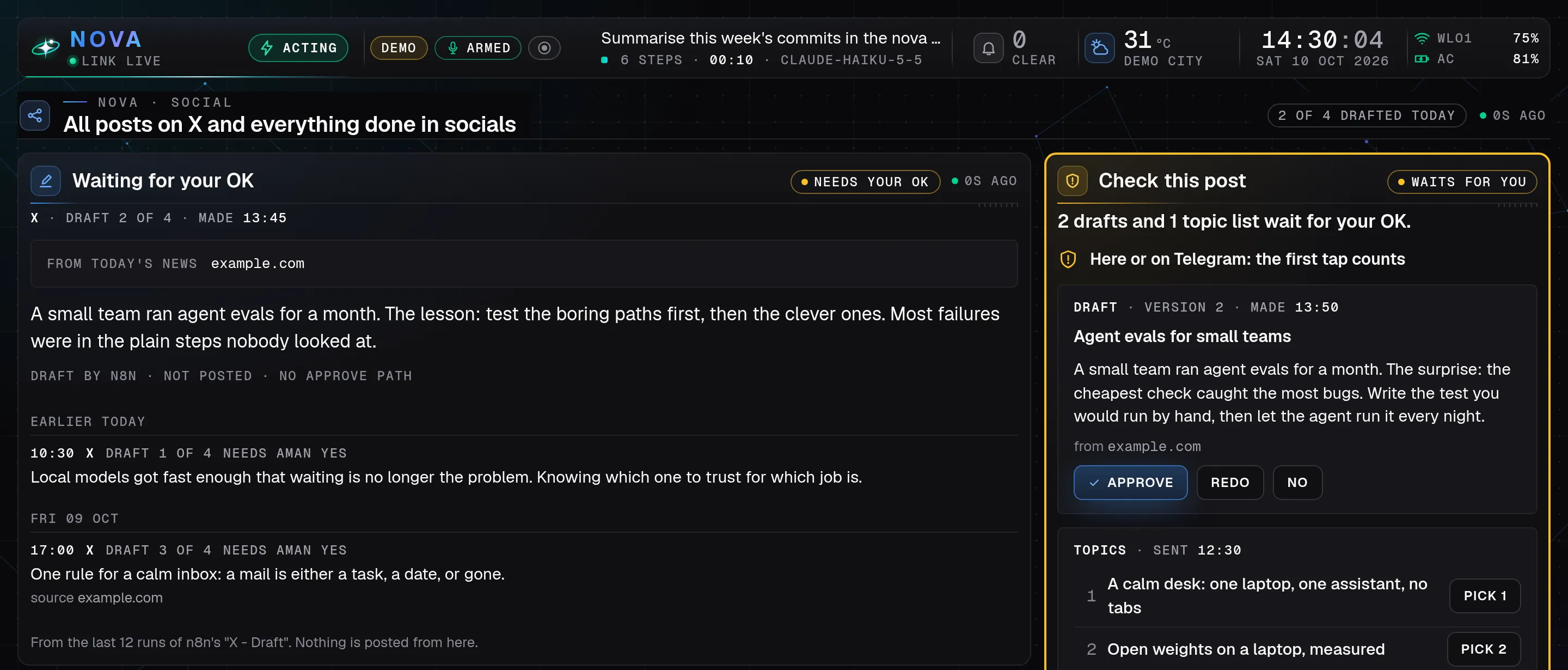
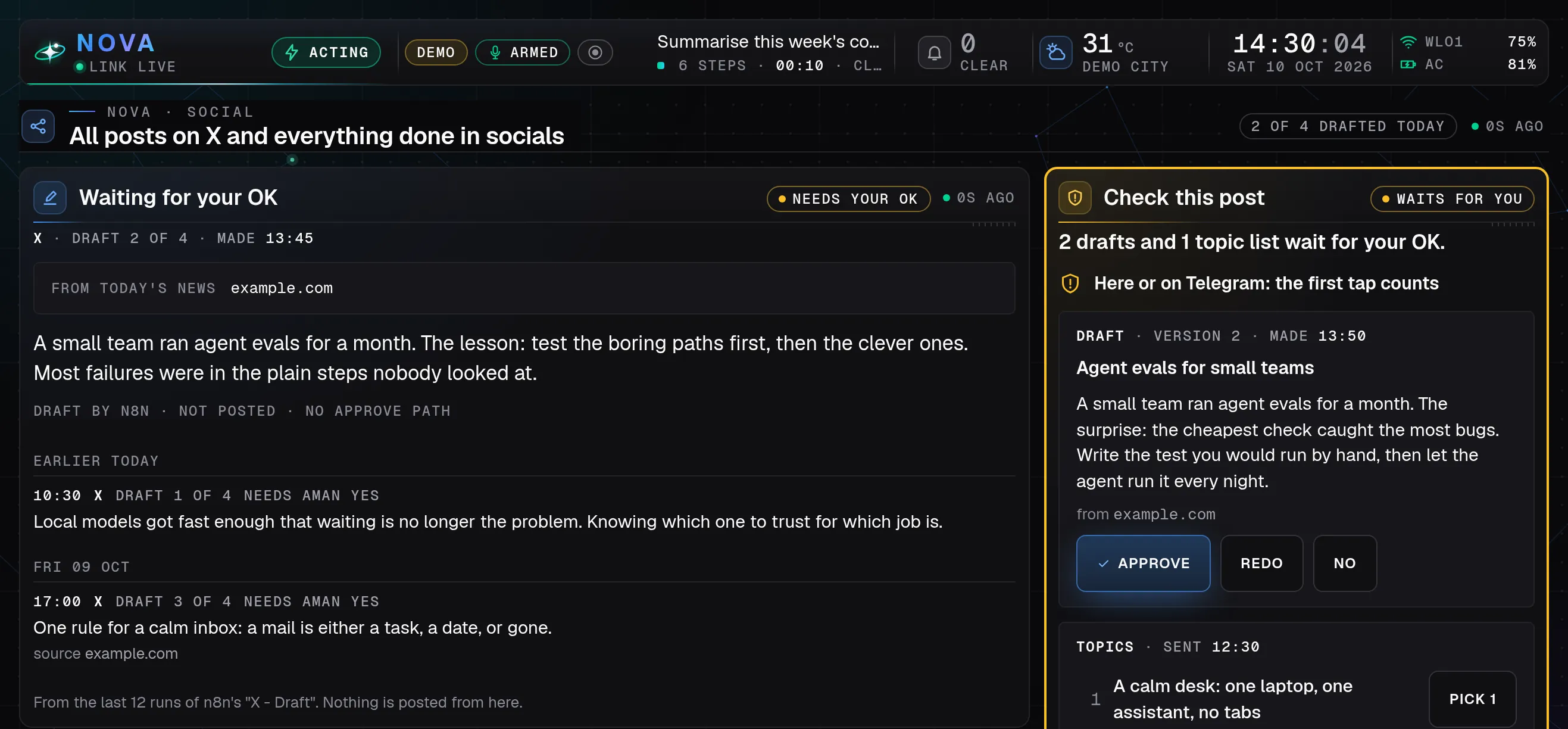
Nova Desktop's Social page on a laptop: a draft for X waiting for an OK with the earlier drafts below, and beside it the Check this post card with Approve, Redo and No, and a topic list to pick from, all made-up demo data.
Social: drafts wait for Aman's check before anything is posted. Demo mode, made-up data ·
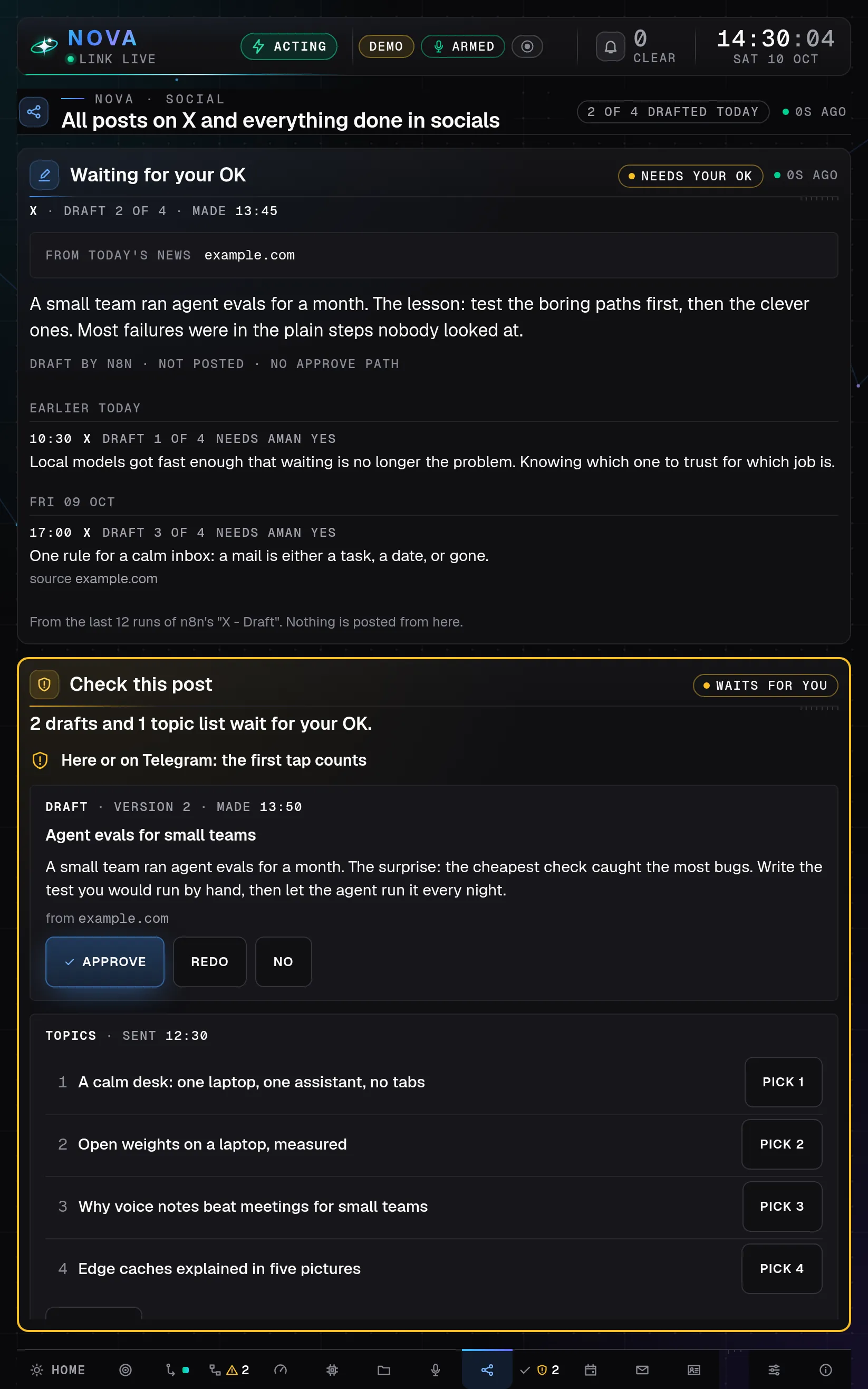
Nova Desktop's Social page on a tablet held upright: the drafts waiting for an OK, then the Check this post card with Approve, Redo and No, and the topic list with a button to pick each one, all made-up demo data.
Social: drafts wait for Aman's check before anything is posted. Demo mode, made-up data ·
Nova Desktop's Social page on a tablet turned sideways: a draft for X waiting for an OK, and beside it the Check this post card with large Approve, Redo and No buttons, all made-up demo data.
Social: drafts wait for Aman's check before anything is posted. Demo mode, made-up data ·

Social

Drafts wait for his OK.

  • Drafts for X arrive in set time slots, each marked as waiting for his yes.
  • The Check card takes his answer here or on Telegram: whichever he taps first counts.
  • Approve asks once more before anything is posted.
Show Captures on
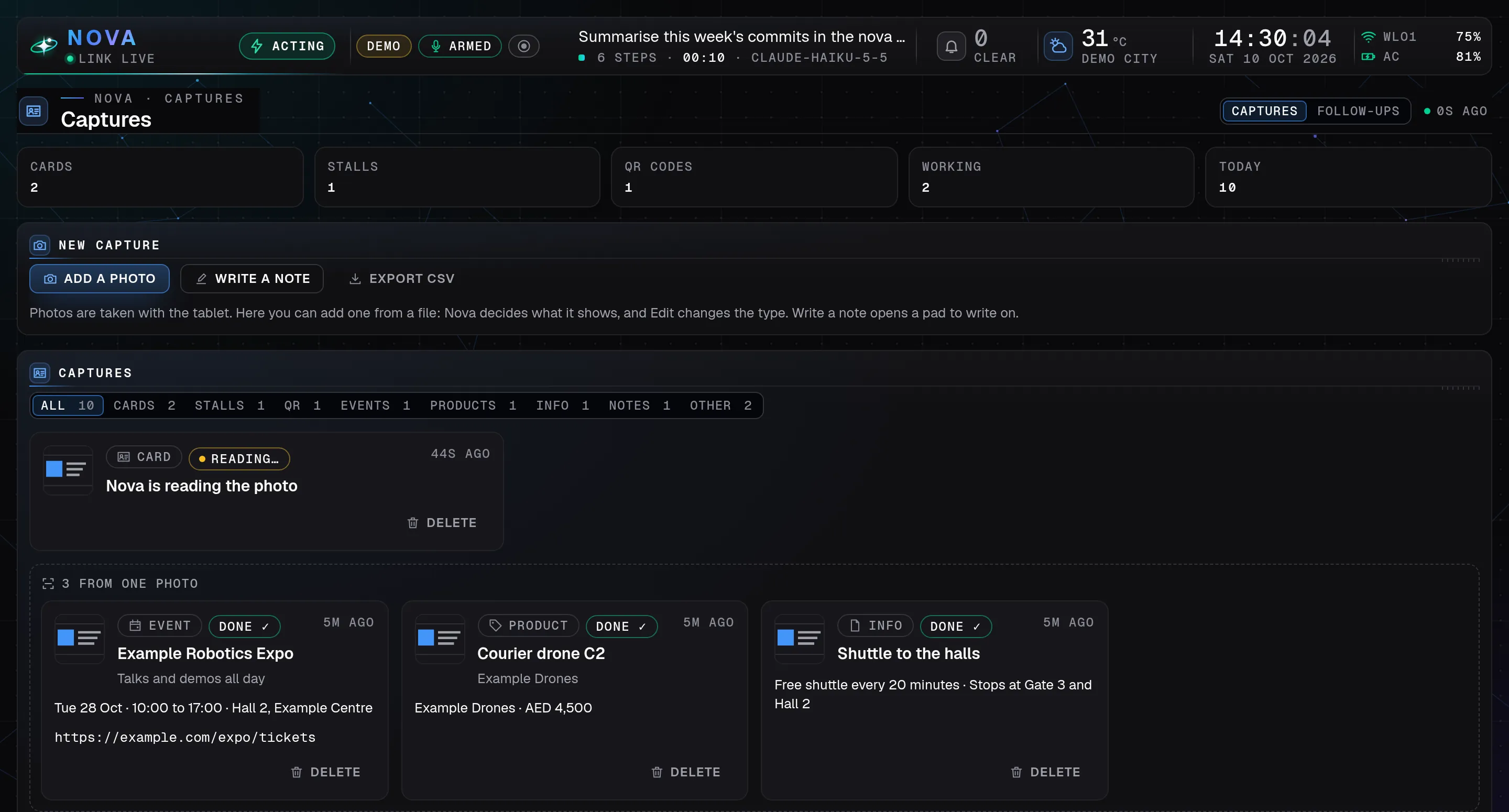
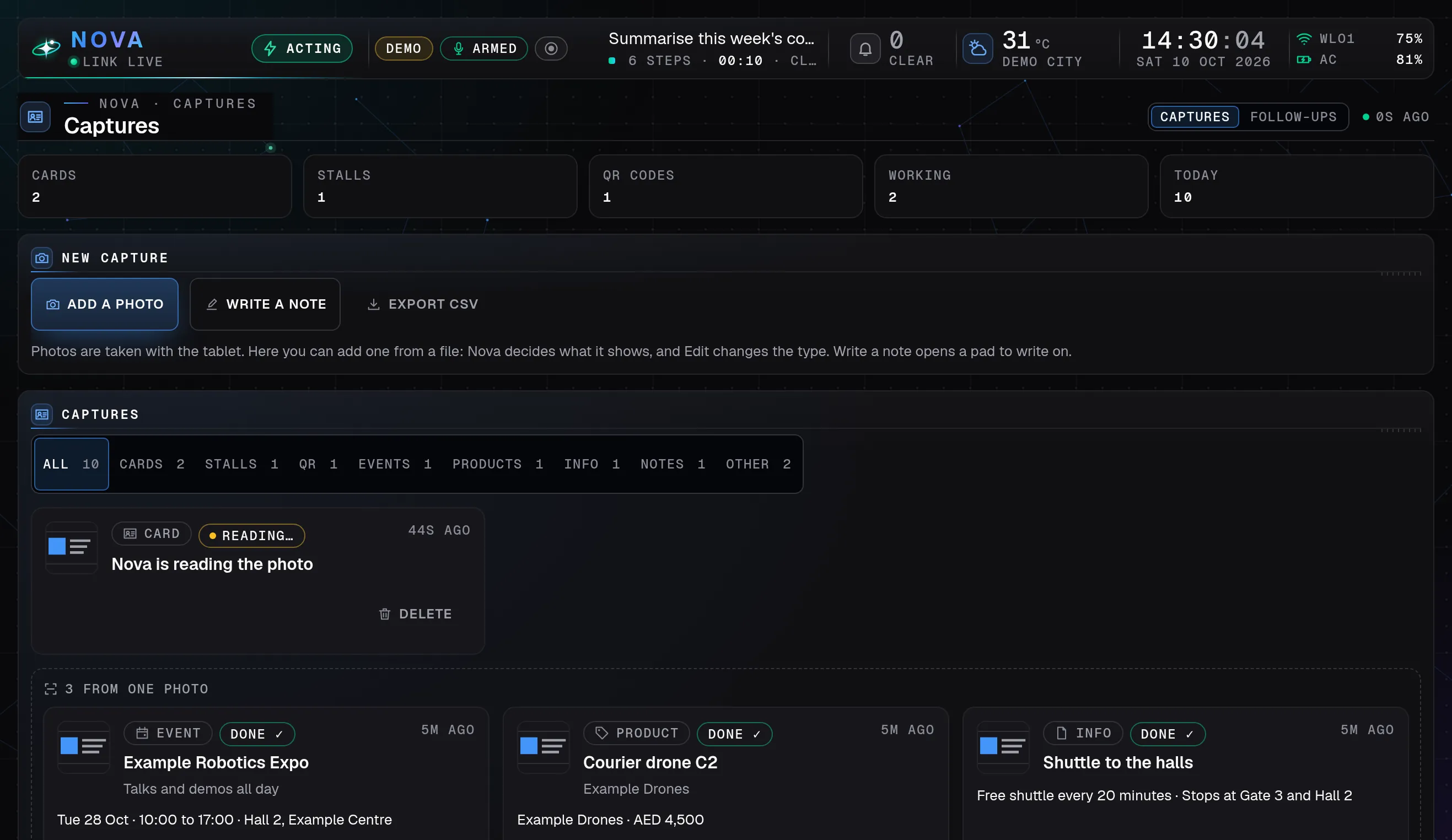
Nova Desktop's Captures page on a laptop: counts of cards, stalls and QR codes, a new capture by photo or note, a photo Nova is still reading, and three entries it read from one photo: an event, a product and a piece of info, all made-up demo data.
Captures: scan at events, and Nova sorts what it saw. Demo mode, made-up data ·
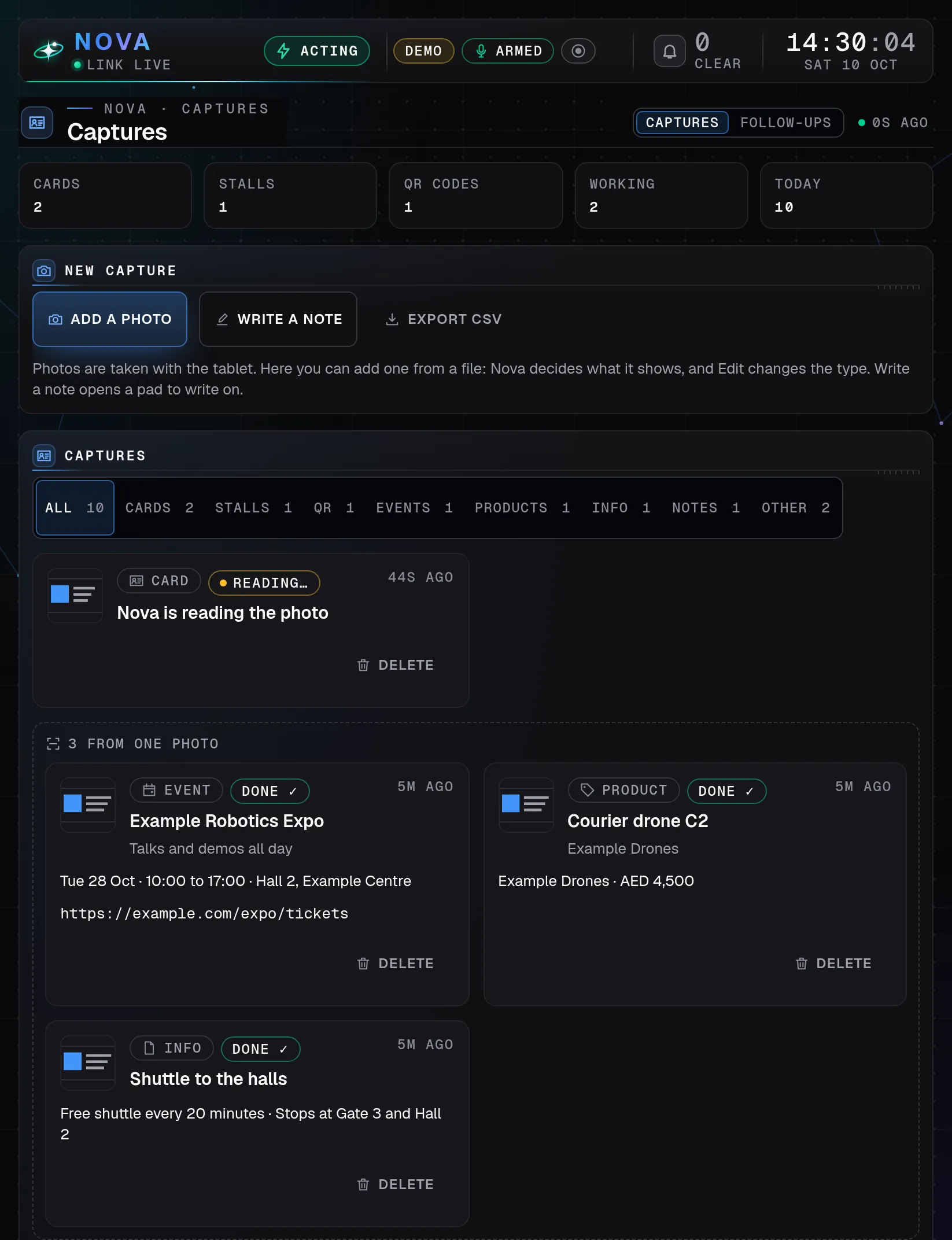
Nova Desktop's Captures page on a tablet held upright: the counts, a new capture by photo or note, a photo Nova is still reading, and the three entries it read from one photo, two by two, all made-up demo data.
Captures: scan at events, and Nova sorts what it saw. Demo mode, made-up data ·
Nova Desktop's Captures page on a tablet turned sideways: the counts, a new capture by photo or note, a photo Nova is still reading, and three entries read from one photo: an event, a product and a piece of info, all made-up demo data.
Captures: scan at events, and Nova sorts what it saw. Demo mode, made-up data ·

Captures

From one photo to neat entries.

  • One Scan on the tablet: a card, a stall, a QR code or a poster becomes entries, up to six from one photo.
  • A pen notes pad turns handwriting into a contact or a note.
  • After an event, he taps Draft and Follow-ups writes a short note for each person he met; he sends it himself.
Show Projects on
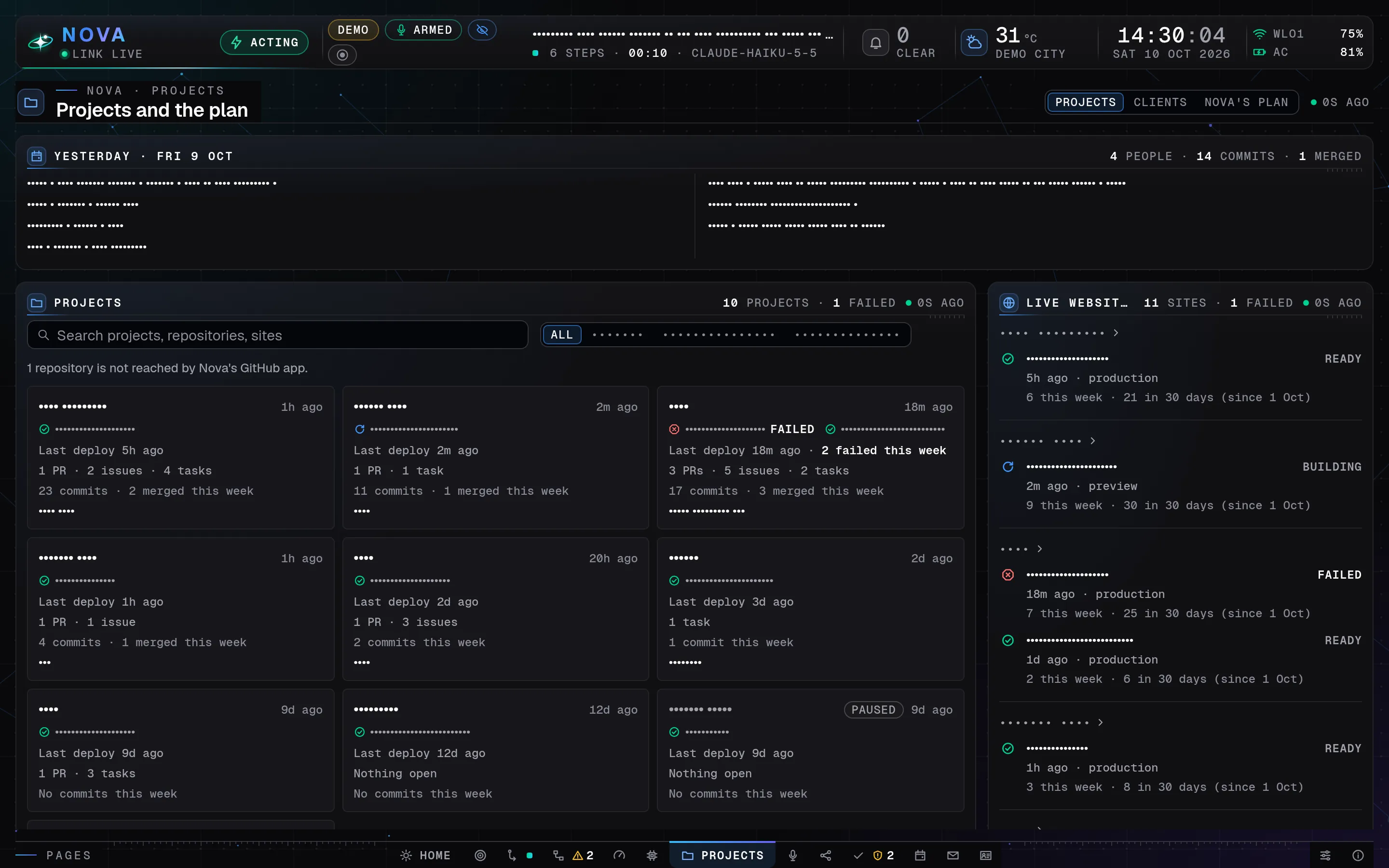
Nova Desktop's Projects page on a laptop, names shown as dots: yesterday's summary, ten made-up projects with their last deployment, pull requests, issues, tasks and commits this week, and the live websites beside, one failed, all made-up demo data.
Projects: every site and its latest build on one board. Demo mode, made-up data ·
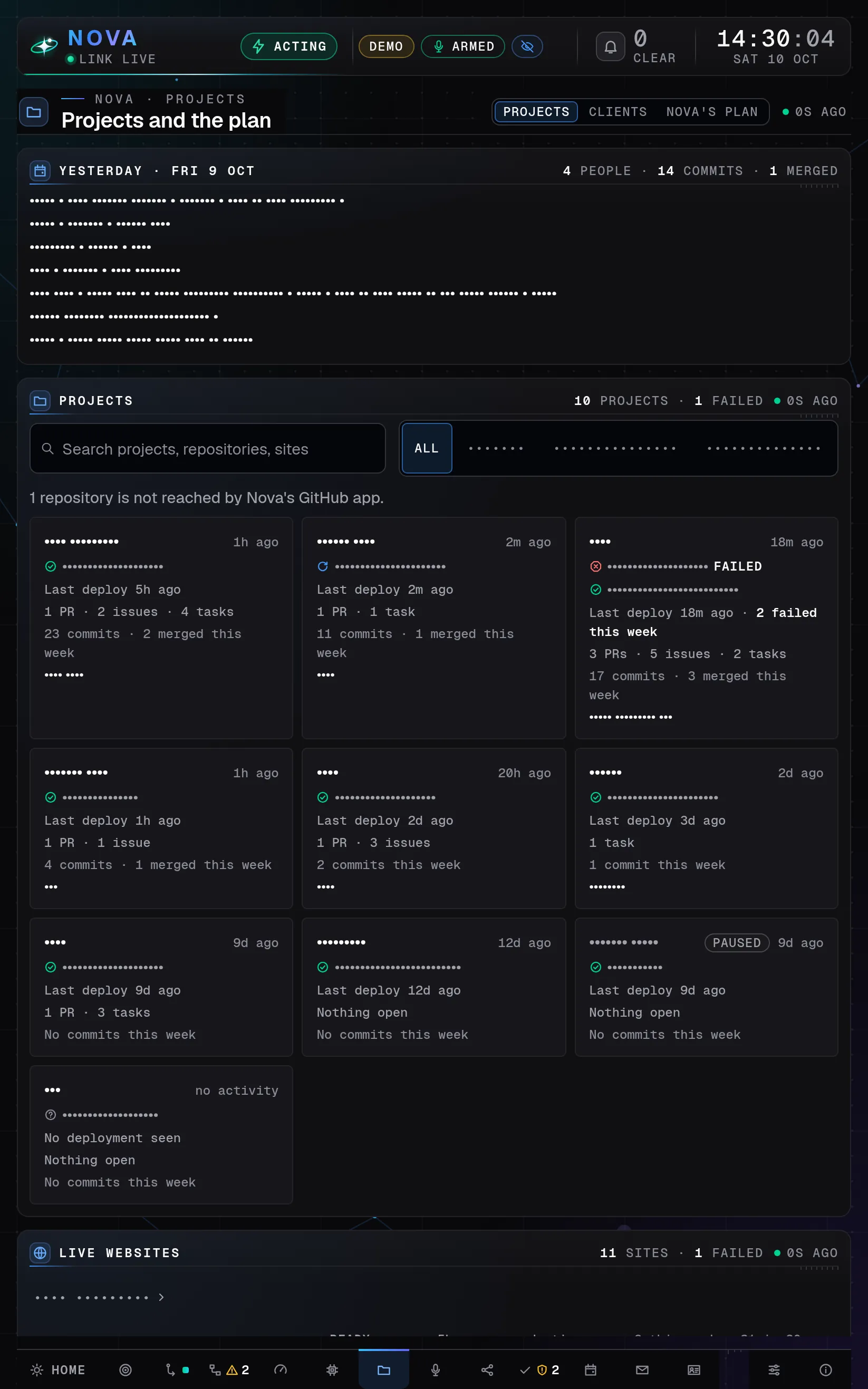
Nova Desktop's Projects page on a tablet held upright, names shown as dots: yesterday's summary, the search, ten made-up projects three across with their deployments and open work, and the live websites' heading at the foot, all made-up demo data.
Projects: every site and its latest build on one board. Demo mode, made-up data ·
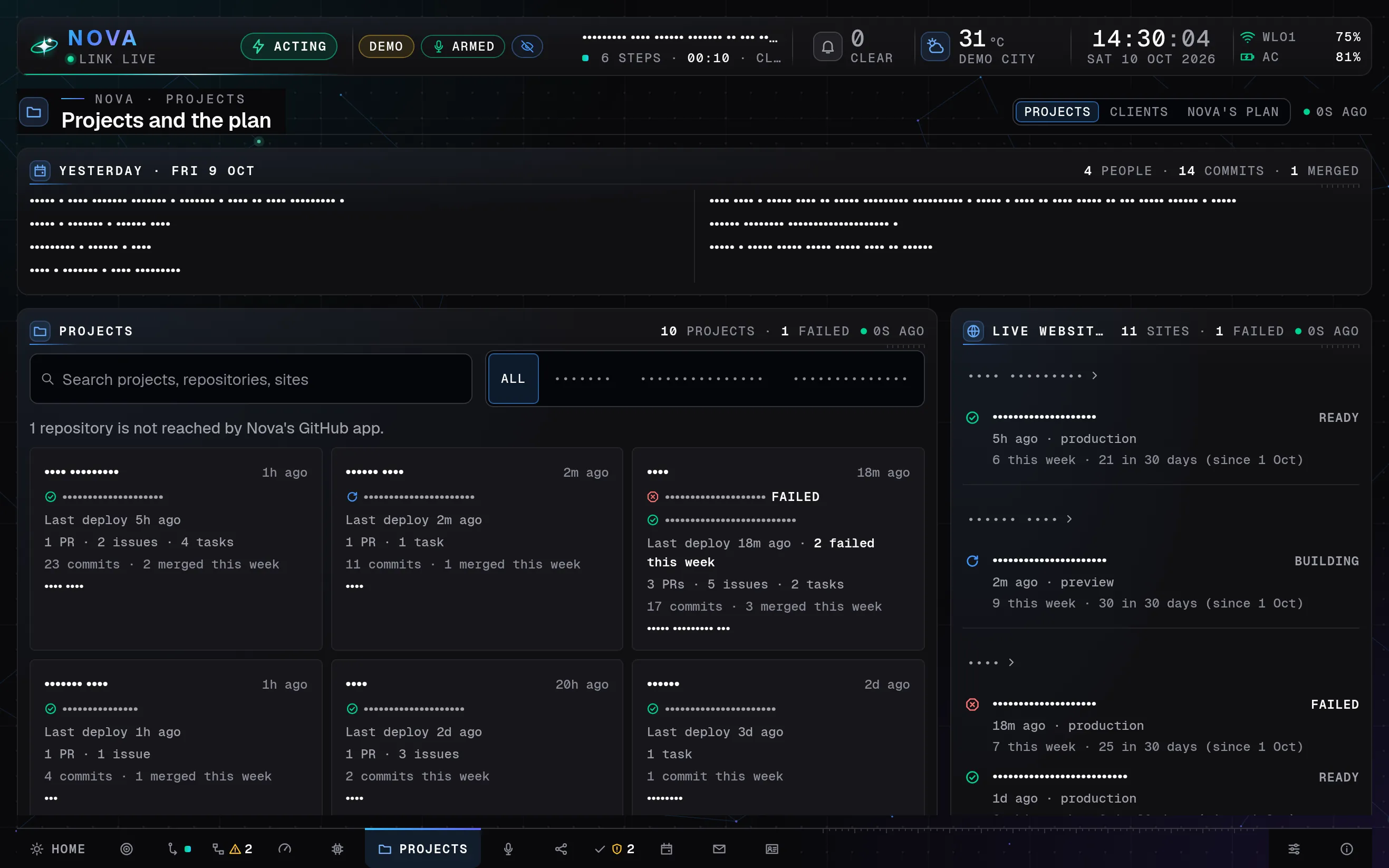
Nova Desktop's Projects page on a tablet turned sideways, names shown as dots: yesterday's summary, made-up projects with their deployments and open work, and the live websites beside, ready, building or failed, all made-up demo data.
Projects: every site and its latest build on one board. Demo mode, made-up data ·

Projects

Every project and site on one board.

  • A card for each project with its recent work and live websites, read slowly and read only.
  • The latest builds and open pull requests of his sites, with a short Telegram line when one fails.
  • Titles, numbers and times only, never code.
Show Clients on
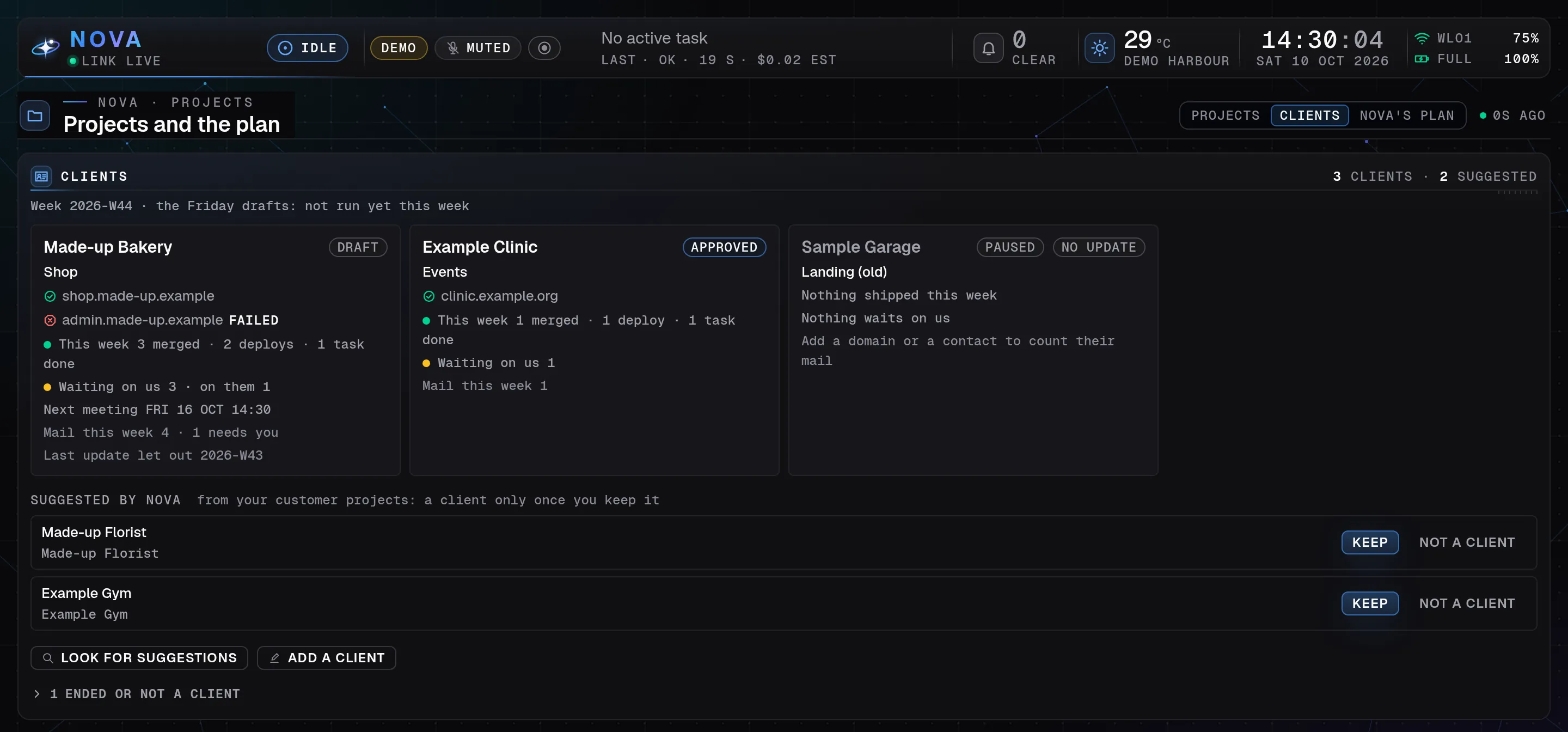
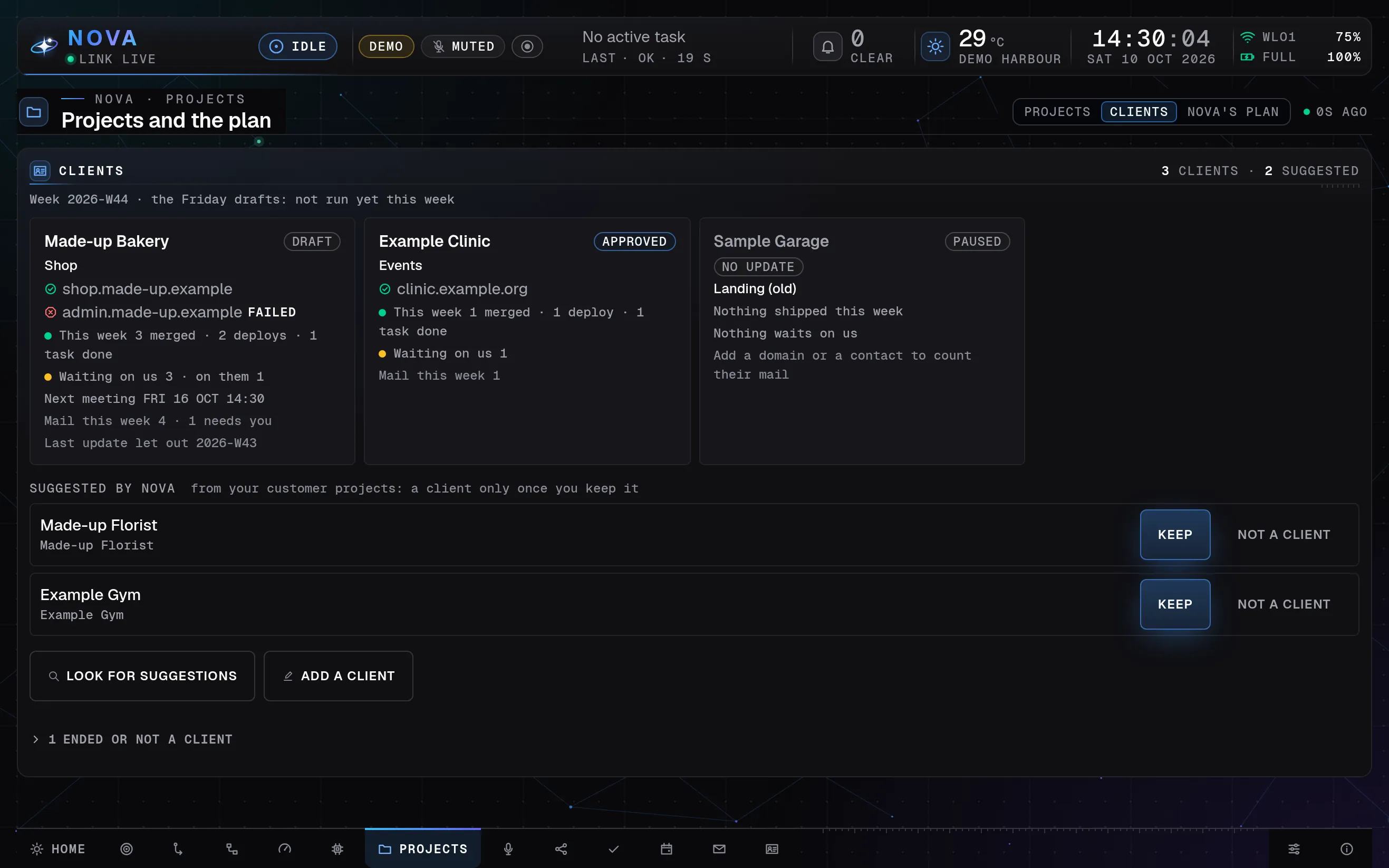
The Clients view of Nova Desktop's Projects page on a laptop: three made-up clients as cards with their sites, this week's merged work, what waits and their mail counts, then two suggested clients to keep or not, all made-up demo data.
Clients: the projects, sites and open work of each client. Demo mode, made-up data ·
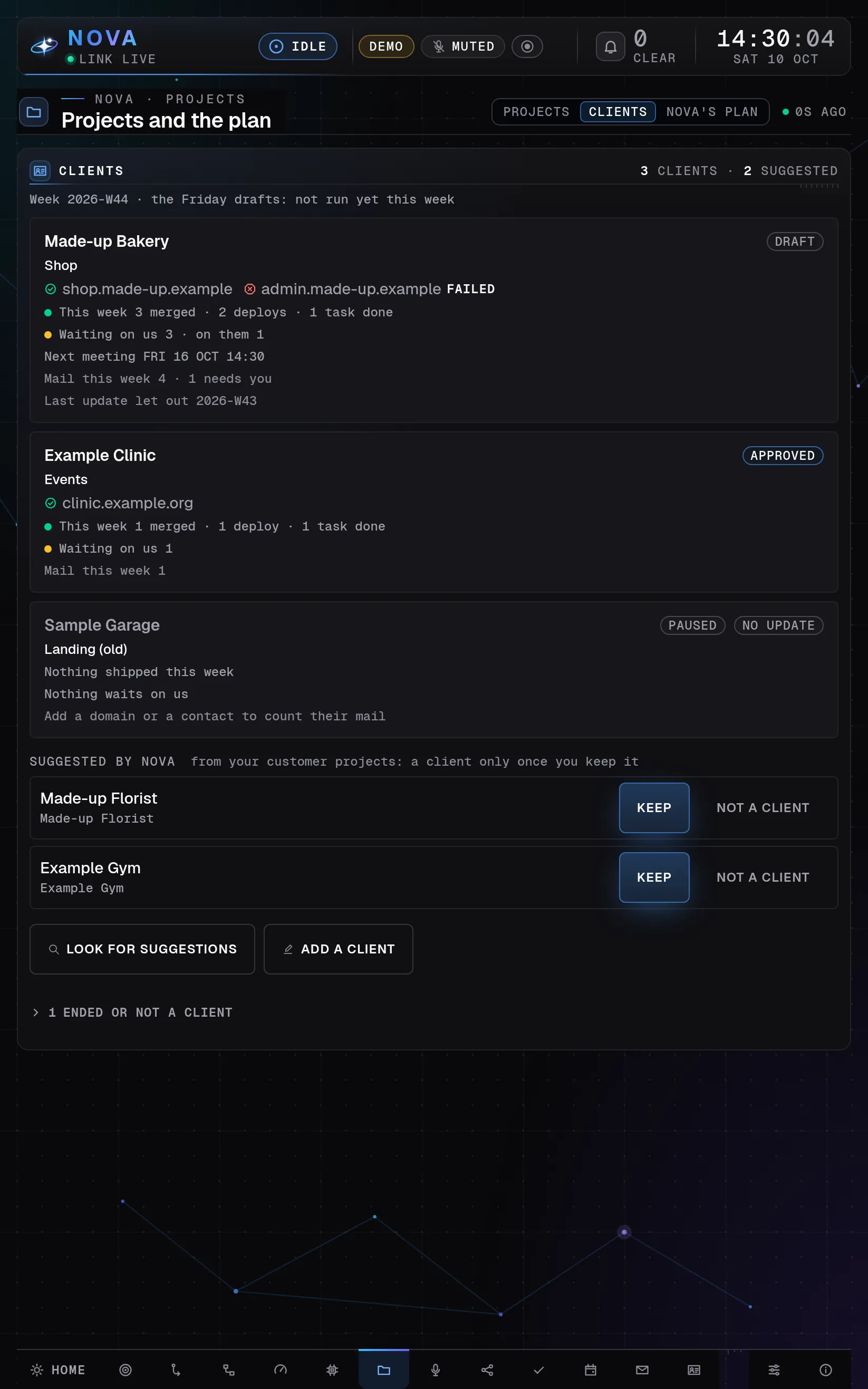
The Clients view of Nova Desktop's Projects page on a tablet held upright: the three made-up client cards one below the other, then the two suggestions with large Keep buttons, all made-up demo data.
Clients: the projects, sites and open work of each client. Demo mode, made-up data ·
The Clients view of Nova Desktop's Projects page on a tablet turned sideways: the three made-up client cards in a row, then the two suggestions with large Keep buttons, all made-up demo data.
Clients: the projects, sites and open work of each client. Demo mode, made-up data ·

Clients

Only the clients he keeps.

  • Each card shows a client’s projects, live websites, the week’s finished work and what waits on whom.
  • Nova suggests clients; he keeps or skips each one.
  • A weekly update is drafted on his word and leaves only when he copies it or opens it in his own mail.

In the feature list

Show Dashboard on
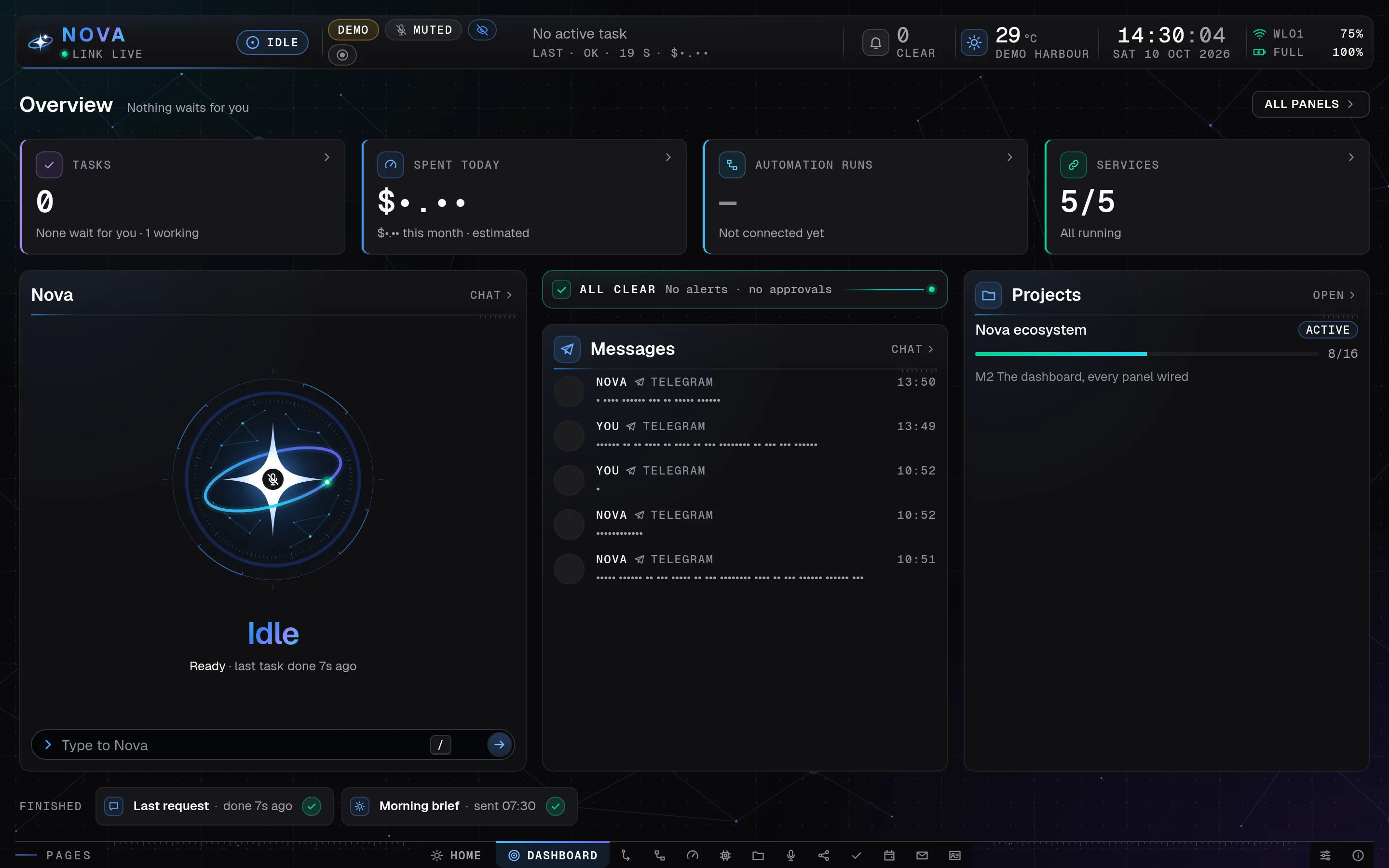
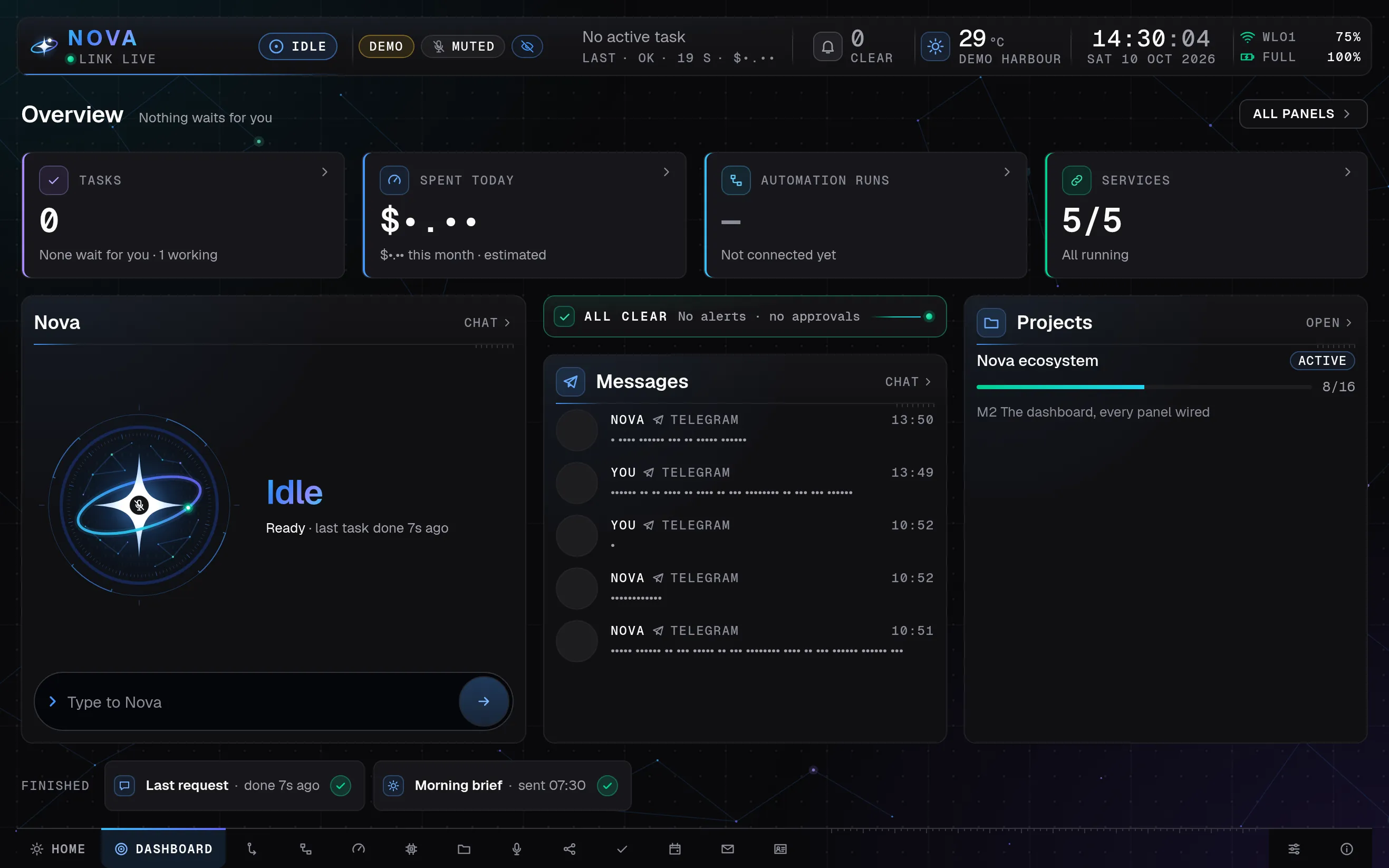
Nova Desktop's calm Dashboard overview in presentation mode on a laptop: four count tiles, then Nova's orb with the chat line, the all-clear strip over the latest messages, the project's progress and what finished; messages and amounts show as dots, all made-up demo data.
The calm Dashboard overview. Demo mode, made-up data ·
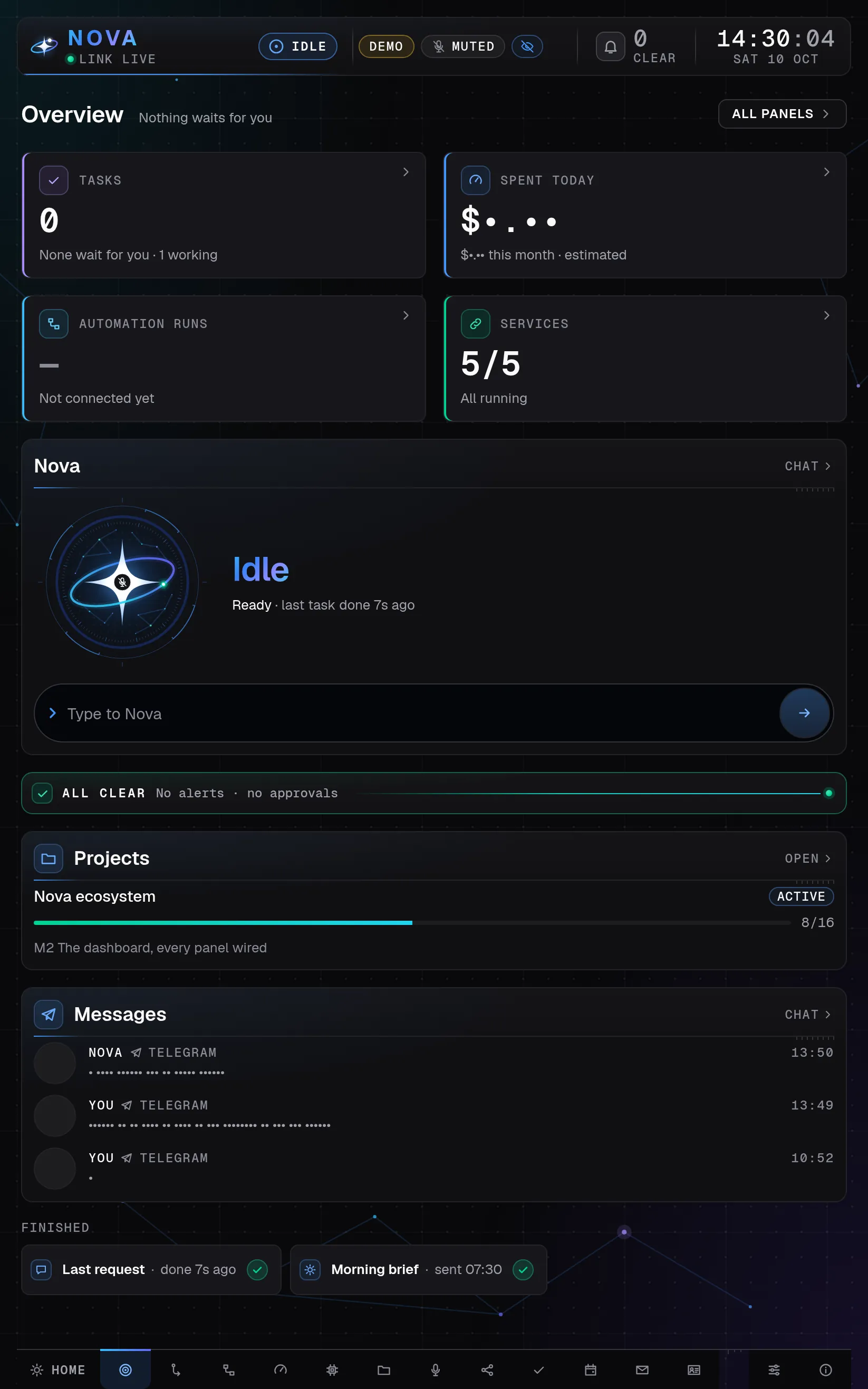
Nova Desktop's calm Dashboard overview in presentation mode on a tablet held upright: the four count tiles two by two, then Nova's orb, the all-clear strip, the project and the latest messages one below the other; messages and amounts show as dots, all made-up demo data.
The calm Dashboard overview. Demo mode, made-up data ·
Nova Desktop's calm Dashboard overview in presentation mode on a tablet turned sideways: four count tiles, then Nova's orb, the latest messages and the project's progress side by side; messages and amounts show as dots, all made-up demo data.
The calm Dashboard overview. Demo mode, made-up data ·

Dashboard

A calm first screen.

  • Four count tiles: tasks, spent today, automation runs and services.
  • Four big cards and a strip of what finished; All panels brings back the full grid.
  • Presentation mode turns private text into dots for filming.

Tablet

Nova Home, on a tablet of its own.

A tablet that opens straight into Nova, made for touch. Say “Hey Nova” across the room; it checks that a request is in Aman’s voice before it acts.

Pick a moment

Then it listens again, so a follow-up needs no wake word.

A guest gets an answer. Nothing is done in Aman’s name.

Private parts are hidden while guests hold the tablet.

Listening

“Hey Nova, what is next today?”

Your call with the accountant, at half past three.

Guest

“What can Nova do?”

It looks after Aman’s day: mail, meetings and tasks.

Showcase

“Book a table for tonight.”

That waits for Aman’s own tap on his phone.

Private parts are hidden.

Upright

Phone

The same Nova, in his pocket.

On Telegram and WhatsApp: the morning brief, mail as short cards with buttons, a summary after each meeting, voice notes and a picture of his screen when he asks. Tap the buttons; the words are made up.

Telegram · Nova

Morning brief · 07:30Good morning. Today: 09:30 check-in with the team, 15:30 call with the accountant, 19:00 gym.

Mail · work inboxA supplier sent the October invoice, due Friday. No reply is needed.

A reply is saved as a draft in Gmail. Nothing was sent.

Moved to later.

Marked done.

Meeting summary · Weekly sync
  1. The deck goes out on Friday.
  2. Find three venues that take bookings in November.
  3. Next sync on Thursday.

do point 2

Three venues found. The list is in the chat.

WhatsApp · Nova

0:06A voice note: “Remind me to call the bank at four.”

“Remind me to call the bank at four.”I will remind you at 16:00.

Send me my screen

Here is the laptop’s screen.

Google Meet

In the meeting, quiet until called.

Before, during and after

Switched on from Home.

On the Up next card, “Nova takes notes” is switched on. Nova joins that Meet at its start, without a word.

Quiet unless called by name.

Nova speaks only when someone says its name to it. Guests can ask; only Aman can make it do things.

Notes, a summary, and tasks that wait.

The notes are written on the laptop from the meeting’s own sound, which is then deleted. A summary lands on Telegram, and the action items wait on the Tasks page for his Keep.

Up next · in 12 min

Weekly sync

Google Meet · 10:00 to 10:30

Nova takes notes
AmanGuestGuestNova

…and the deck goes out on Friday.Guest: “Nova, when is the next sync?”Nova: Thursday at ten.

Notes · Weekly sync

  • and the deck goes out on Friday.
  • Let’s keep the venue list short.

Needs you: from your meetings

  • Send the deck on FridayKeep
  • Shortlist the venuesKeep

Voice

Say it; hear a short answer.

“Hey Nova” on the laptop or the tablet, then a request in plain words. Nova writes it down, does it like a typed request, says one short line while it works, and speaks the answer in about two sentences.

  1. Wake word“Hey Nova”
  2. Written downWhat is my next meeting, and is anything slipping?
  3. Nova, at onceSure, checking that for you now.
  4. Nova, aloudYour call with the accountant is at half past three. One mail has waited two days; the rest is on the screen.
  5. The rest is on the screen.

Next

How Nova is kept safe.